
Take control of your money with monthly and annual budget spreadsheets that track income, fixed and variable expenses, savings goals and debt payoff, with automatic charts.
Keep the period and cash basis consistent
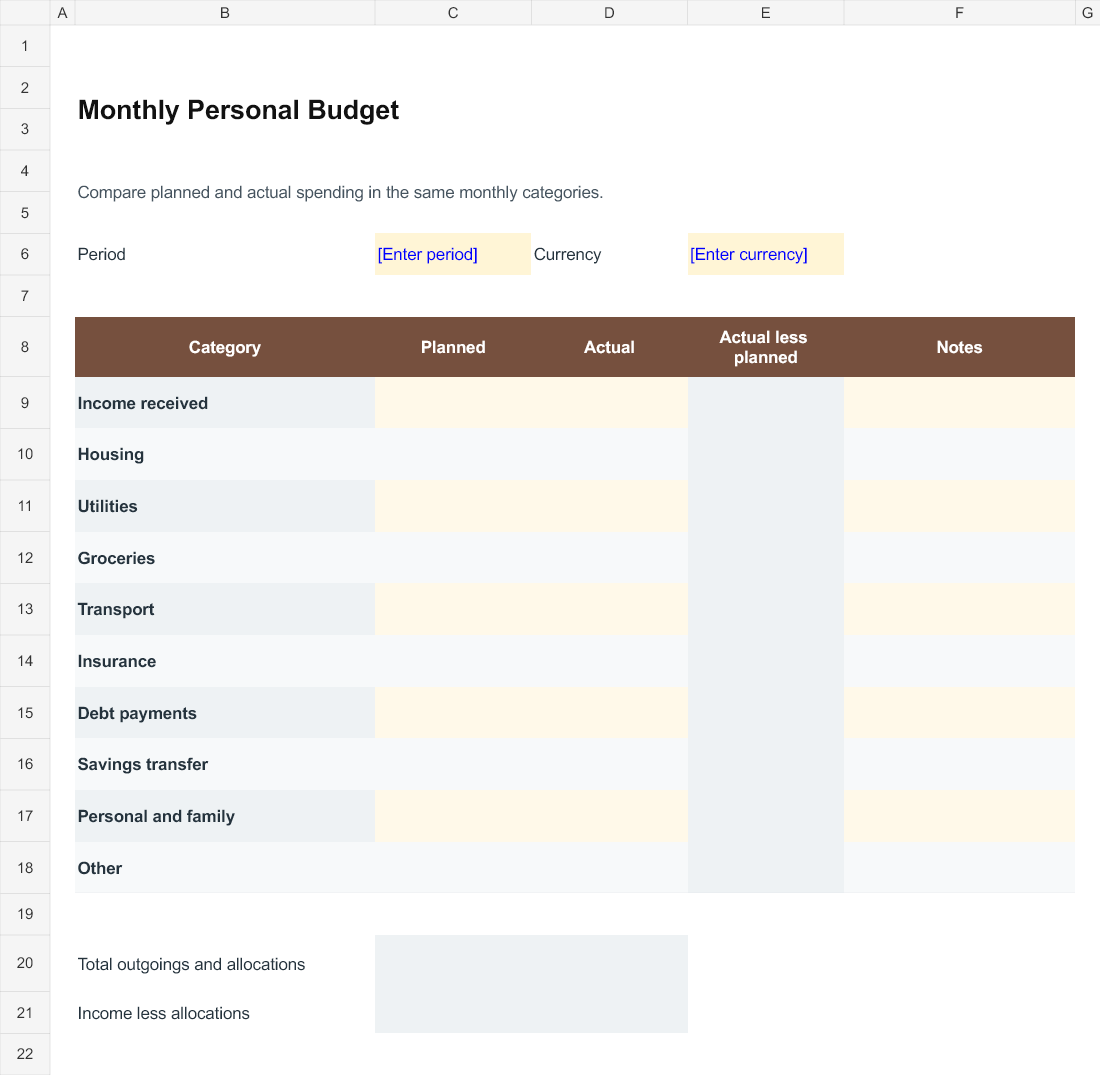
Choose one month and one currency before entering the budget. The monthly file separates income received from the categories used to allocate or spend that income. Enter planned amounts first and actual amounts as the month progresses. Use the same category definitions for both columns so that the comparison means something. A transfer to savings is still an allocation of available cash in this worksheet; it is not added to income a second time.
Read the variance without assuming it is good or bad
The difference column calculates actual less planned. A positive number means actual was higher; a negative number means it was lower. That sign alone does not explain the outcome. Higher income and higher spending have different meanings, and a lower payment may simply have been delayed. Use the notes column to explain the reason and whether it is likely to affect another month. Review the underlying item before deciding what to change.
Use the annual bill calendar for irregular payments
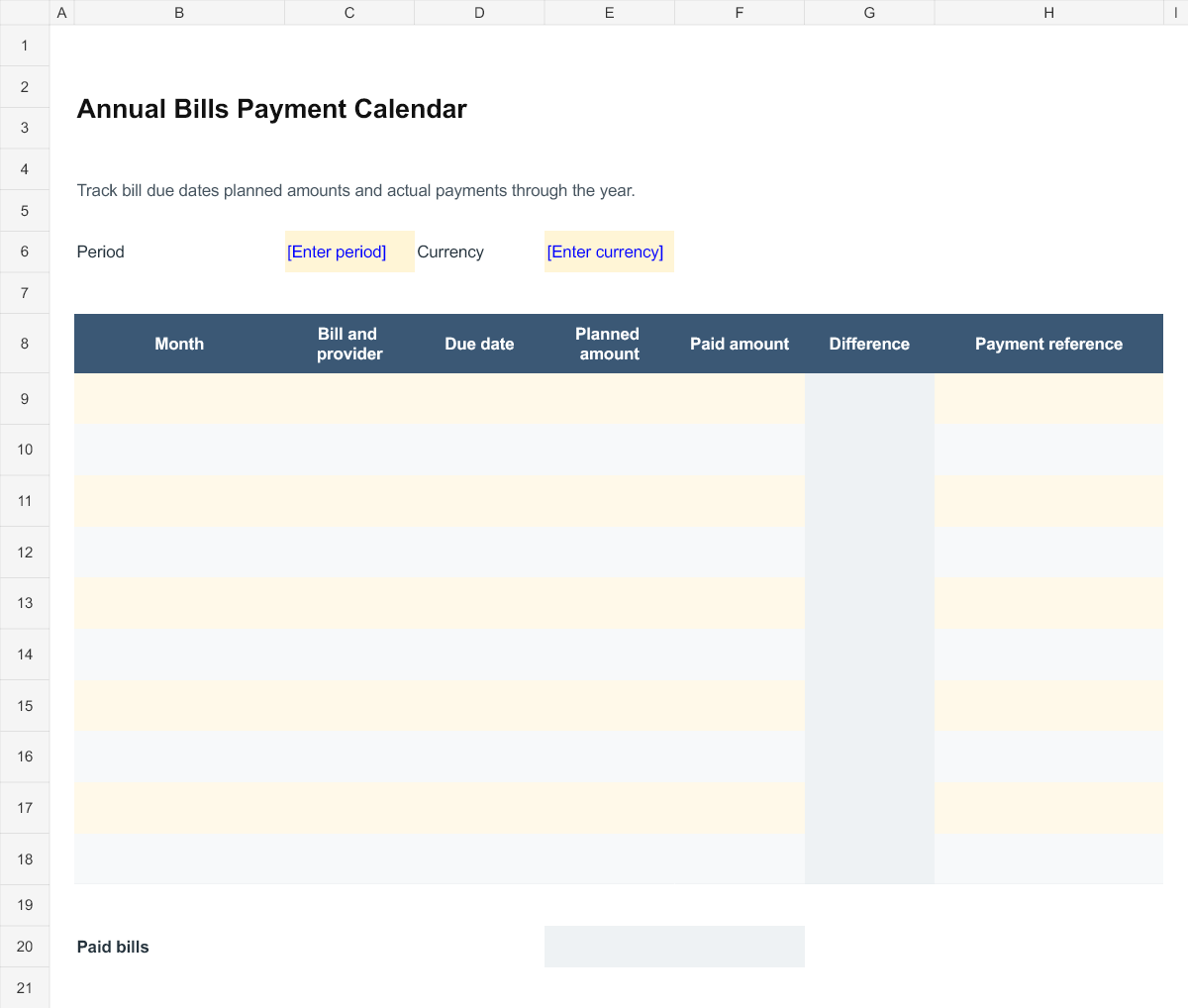
Enter the provider, due date and planned amount for bills that do not arrive every month. Add the amount actually paid and a payment reference when the payment occurs. The file compares paid and planned amounts but does not decide whether a bill has been settled in full. Keep the provider statement or other evidence available if that distinction matters. Add recurring bills as separate dated entries rather than relying on one line that is repeatedly overwritten.
Update the plan from actual information
At month end, check the figures against the records you use for spending and payments. Identify categories that were consistently missing or too broad to be useful. Carry known future commitments into the next plan and explain unusual items instead of treating one unusual month as a permanent pattern. The workbook is a planning aid with editable categories; adapt it to the way income and bills actually arrive in your household.
Working with the editable files
Monthly Personal Budget is an Excel workbook with editable entry areas. Enter the period or project reference first, then complete the rows that apply to your work. Keep figures in the stated units and currency. Where a calculated column is included, change the input cells rather than typing over the formula. Save a separate completed copy and check the print area if you add more rows.
Annual Bills Payment Calendar is an Excel workbook with editable entry areas. Enter the period or project reference first, then complete the rows that apply to your work. Keep figures in the stated units and currency. Where a calculated column is included, change the input cells rather than typing over the formula. Save a separate completed copy and check the print area if you add more rows.
Editable Word and Excel Resources
Monthly Personal Budget
Compare planned and actual spending in the same monthly categories. Download the editable Excel file below.
Annual Bills Payment Calendar
Track bill due dates planned amounts and actual payments through the year. Download the editable Excel file below.

You must be logged in to post a comment.