
HTML5 is the foundation of almost every modern website. Its semantic elements, such as header, nav, article, section and footer, give blog pages a clear structure that browsers, screen readers and search engines can all understand. Combined with responsive CSS, an HTML5 blog template gives you a clean starting point for a personal journal, portfolio blog, magazine or company news section.
Define the pages and content blocks for a static HTML5 blog. This guide includes one free original editable Excel worksheet, with a preview and a direct download below.
Free Editable Excel Worksheet
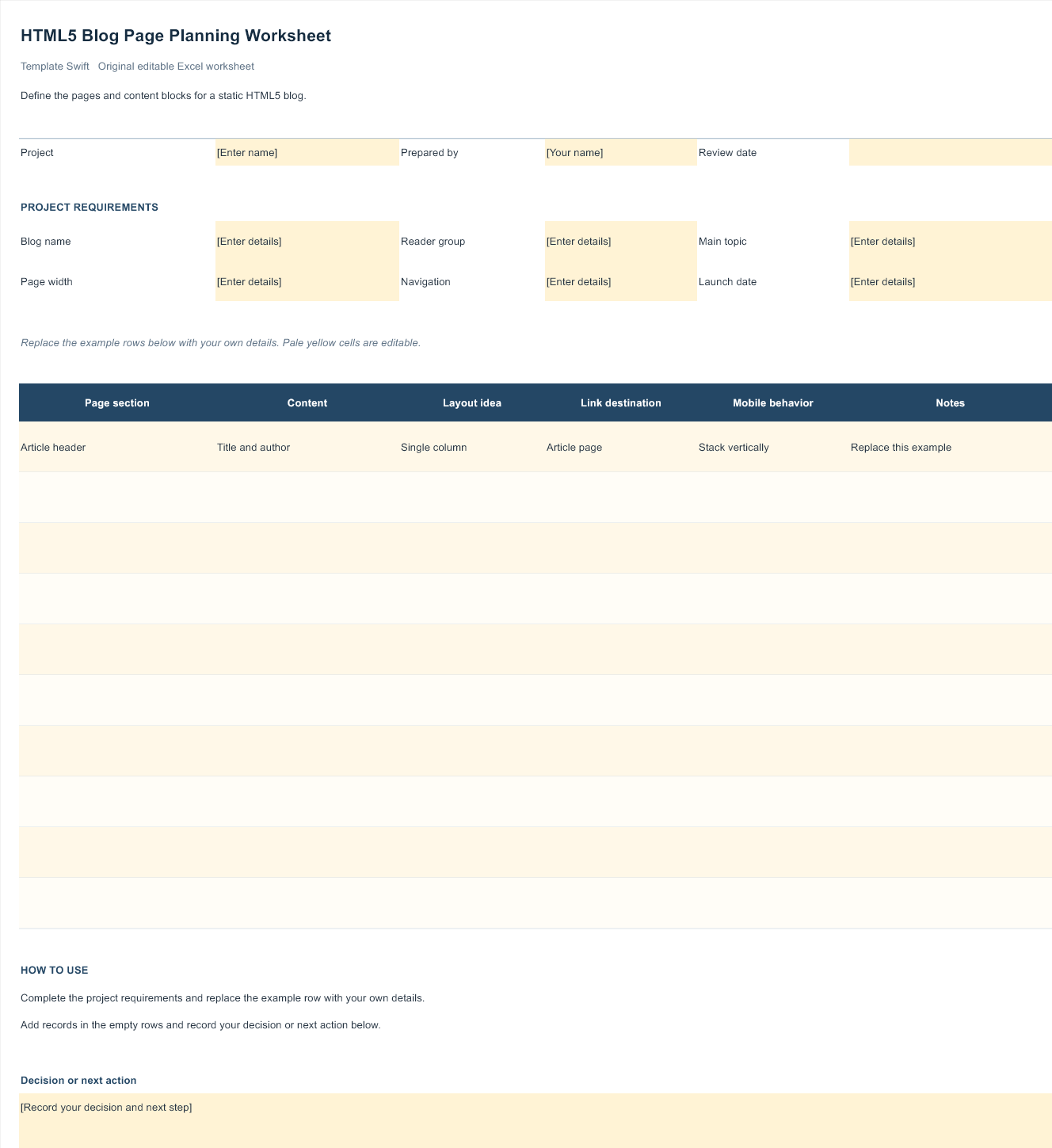
HTML5 Blog Page Planning Worksheet
Define the pages and content blocks for a static HTML5 blog. This original Template Swift planning worksheet includes editable fields and an example row you can replace with your own details.
Download HTML5 Blog Page Planning Worksheet (.xlsx)
Open the file in Microsoft Excel or a compatible spreadsheet application. Replace the example row, complete the highlighted input fields, and save your own copy.
Static Templates Versus Platform Themes
It is important to know what kind of file you are downloading, because it changes how you will publish posts. A static HTML5 template is a set of HTML, CSS, JavaScript and image files. It looks great and loads fast, but it has no admin panel or database. To add a new post, you copy a page, edit the HTML and upload it. That suits developers, small personal sites and blogs that are updated rarely.
A platform theme, on the other hand, plugs into a content management system or hosted blogging service. You write posts in an editor and the theme displays them automatically. Several designs in this collection are themes for a hosted blogging platform rather than standalone HTML files. They are built with HTML5 markup, but you install them through that platform’s theme settings.
Neither option is better in every case. Choose based on how often you will publish, who will be editing, and how comfortable you are working with code.
Plan the Blog Before Picking a Design
It is tempting to choose a template purely on looks, but a little planning first leads to a better fit. Think about the kind of posts you will write. Photo-led fashion, travel or food blogs need large image areas and galleries. Writing-focused blogs need comfortable reading widths and good typography. News or magazine blogs need category sections and a clear way to highlight the latest stories.
Consider your publishing rhythm too. If you will post several times a week, choose a template whose home page handles lots of entries gracefully, with pagination or a “load more” option. If you will post monthly, a simpler layout that showcases a few strong articles may suit you better.
Finally, list the extra features you need: a newsletter sign-up box, social sharing buttons, a search bar, an author bio, or a portfolio section. It is far easier to start with a template that already includes them than to add them later.
What to Check Before You Download
A quick review of the demo and the files can save hours of frustration later. Look for these signs of a well-built template:
- Semantic markup. Posts wrapped in article elements, navigation in nav, and one main heading per page. This helps accessibility and search engines.
- Responsive layout. Resize your browser or open the demo on a phone. Menus, images and text should adapt without horizontal scrolling.
- Up-to-date dependencies. Old versions of CSS frameworks and JavaScript libraries can carry security issues. If a template relies on outdated scripts, plan to update them.
- Readable code. Well-commented, tidy HTML and CSS are far easier to customise than minified or messy files.
- Clear licence. Check whether you may use the template commercially, whether credit links must stay, and whether you can modify and redistribute it.
- Essential blog pages. A good blog template includes a home page, single post page, archive or category page and an about or contact page, not just a single landing page.
Turning a Static Template Into a Working Blog
If you love a static HTML5 design but do not want to edit HTML for every post, there are several ways to make it easier to maintain. One popular option is a static site generator. You write posts in simple text or Markdown files, and the generator combines them with your template to produce finished HTML pages. The result keeps the speed and security of a static site while making publishing straightforward.
Another route is to convert the template into a theme for a content management system. This takes more development work, but it gives you a familiar editor, user accounts, comments and plugins. If you only need a small blog section on an otherwise static site, a lightweight headless CMS can feed posts into your template through an API.
For very small personal blogs that are updated a few times a year, editing HTML by hand may be perfectly adequate. Keep a blank post page as your starting file, copy it for each new article, and remember to update the home page and archive links each time.
Hosting and Performance
One of the biggest advantages of a static HTML5 blog is speed. Plain HTML files can be served almost instantly from inexpensive hosting or a content delivery network, with no database queries slowing things down. Static sites also have a smaller attack surface, because there is no login page or server-side code for attackers to target.
To make the most of this, keep images small and in modern formats, load only the scripts you actually use, and avoid heavy third-party widgets. Enable HTTPS, set sensible caching rules and test your pages with a free speed tool after each change. A fast, lightweight blog is more pleasant to read and easier for search engines to crawl.
Customising the Design
Start with global styles. Most templates define colours, fonts and spacing in a main stylesheet or as CSS variables, so a few edits can change the whole site. Choose a readable body font and set comfortable line height and paragraph width; long-form reading depends on it. Our guide to infographic fonts and pairing covers useful principles that apply just as well to blogs.
Next, replace placeholder images with your own, compressed for the web and given descriptive alt text. Remove sections you do not need rather than leaving them empty, and test every page on a phone after each round of changes. Finally, add your own favicon, update the page titles and meta descriptions, and set up basic analytics so you can see what readers enjoy.
Related Templates and Guides
If you decide a hosted or CMS-based blog suits you better, our guides to SEO friendly blog templates and tech blog WordPress themes walk through choosing and testing platform themes. For mobile-first projects, our collection of mobile web templates shows touch-friendly layouts, and if you are replacing an old animated site, our article on animated templates explains why HTML5 has become the standard alternative. Broader site layouts are covered in our dynamic website templates.
Frequently Asked Questions
Do HTML5 blog templates come with an admin panel?
Static HTML5 templates do not. You edit the files directly or use a static site generator or CMS. Platform themes, by contrast, work inside an existing blogging system that already has an editor.
Are all these templates free?
The original Excel planning worksheet on this page is free to download and edit. Open it in Microsoft Excel or a compatible spreadsheet application.
Can I use a free HTML5 template for a business blog?
The original Excel planning worksheet on this page is free to download and edit. Open it in Microsoft Excel or a compatible spreadsheet application.
Is HTML5 good for SEO?
Semantic HTML5 makes your structure clearer to search engines, which helps, but rankings depend mainly on useful content, speed and links from other sites.
How do I keep an older template secure?
Update bundled libraries to current versions, remove unused scripts, avoid unknown third-party embeds, and serve the site over HTTPS.
