
If you’ve inherited an older mobile web app, need a quick touch-friendly prototype, or just want to see how a classic mobile UI framework handled lists, panels and page transitions, these jQuery mobile templates are a useful place to start. They give you ready-made screens, navigation patterns and themed widgets so you aren’t building every button and header bar from scratch.
This page collects seven mobile templates and themes, from app-style layouts to a Bootstrap-flavored theme and a native-looking Android skin. Before you download anything, though, it’s worth understanding where jQuery Mobile stands today, because that affects how (and whether) you should use it on a new project.
A Quick, Honest Look at jQuery Mobile in 2026
jQuery Mobile was a popular framework for building touch-friendly websites and hybrid apps in the early smartphone years. It added page transitions, swipe-friendly list views, toolbars and form widgets on top of the regular jQuery library, all driven by simple HTML data attributes.
The jQuery team officially deprecated jQuery Mobile in 2021, which means it no longer receives new features or security updates. Plain jQuery itself is still maintained, but the mobile UI layer is effectively frozen. That doesn’t make these templates useless; it just changes the best ways to use them.
Good reasons to use these templates today
- Maintaining a legacy app. Many internal tools, kiosk screens and older hybrid apps still run on jQuery Mobile. A matching theme helps you refresh the look without a full rewrite.
- Fast clickable prototypes. Need to show a client how a five-screen mobile flow might work by tomorrow morning? Data-attribute markup gets you there quickly.
- Learning and teaching. The framework’s page, header, content and footer structure is a clear way to explain mobile UI patterns to students.
- Design inspiration. Even if you build the final product with a modern stack, the layouts below are a handy reference for list views, tab bars and slide-out panels.
When to choose something else
For a brand-new public website, a modern responsive approach is usually the safer choice. CSS Flexbox and Grid, a responsive framework such as Bootstrap, or a component library for a JavaScript framework will give you better performance, active security support and better compatibility with current browsers. Treat jQuery Mobile as a tool for specific jobs, not the default.
| Your situation | Suggested approach |
|---|---|
| Updating an existing jQuery Mobile app | Use a template from this page for a visual refresh |
| Quick internal prototype or demo | A jQuery Mobile template is fine |
| New customer-facing website | Modern responsive CSS or a maintained framework |
| Installable app with offline features | A progressive web app or native toolkit |
What to Check Before You Download
Most of the items below link to third-party marketplaces, code repositories and theme builders, so licenses and file contents vary. Spend two minutes on these checks before you commit to one:
- License. Some themes are open source, others are paid marketplace items. Make sure the license allows the kind of project you have in mind, especially for client or commercial work.
- Bundled versions. Look at which versions of jQuery and jQuery Mobile the template ships with. Older bundles may need testing against current browsers.
- Dependencies. A theme that also pulls in icon fonts, plugins or a CSS framework adds weight. On mobile, every extra file matters.
- Demo on a real phone. If a live demo exists, open it on an actual device, not just a desktop browser window, and test scrolling, taps and form inputs.
- Accessibility. Check color contrast and whether buttons have readable labels. Older themes sometimes rely on icons alone.
Tip: Before touching an older app, write down every screen and feature it has. A simple list built from one of our checklist templates makes it far easier to confirm nothing breaks after you apply a new theme.
7 jQuery Mobile Templates and Themes
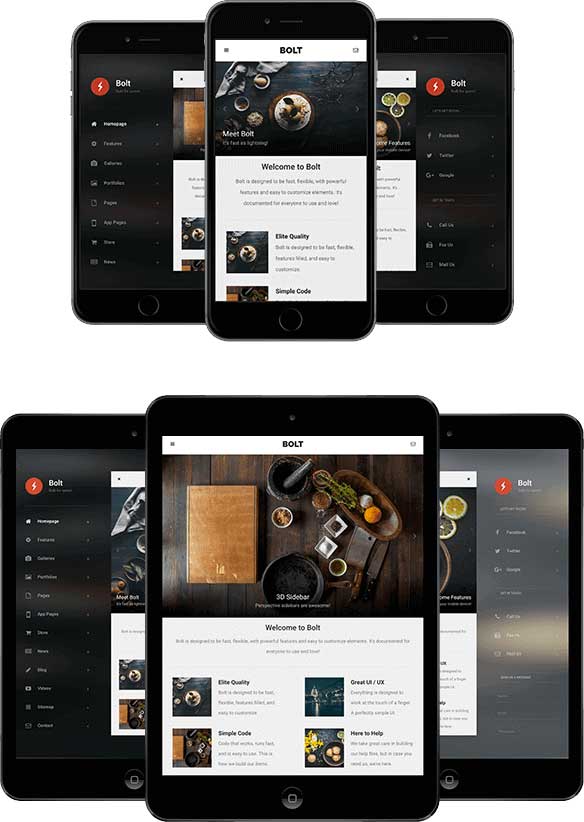
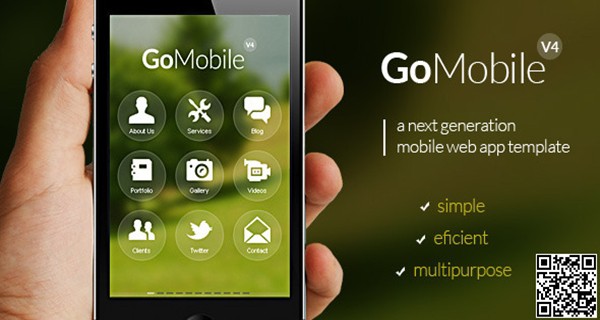
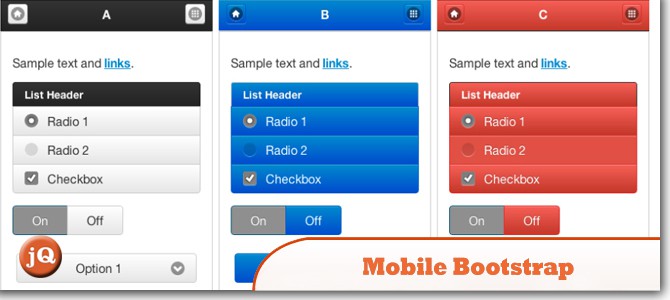
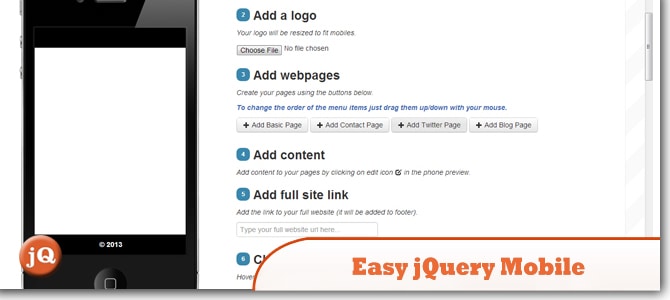
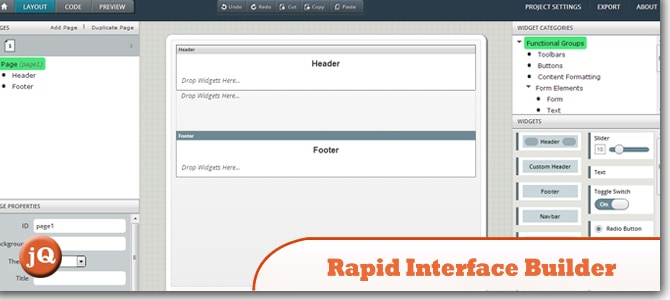
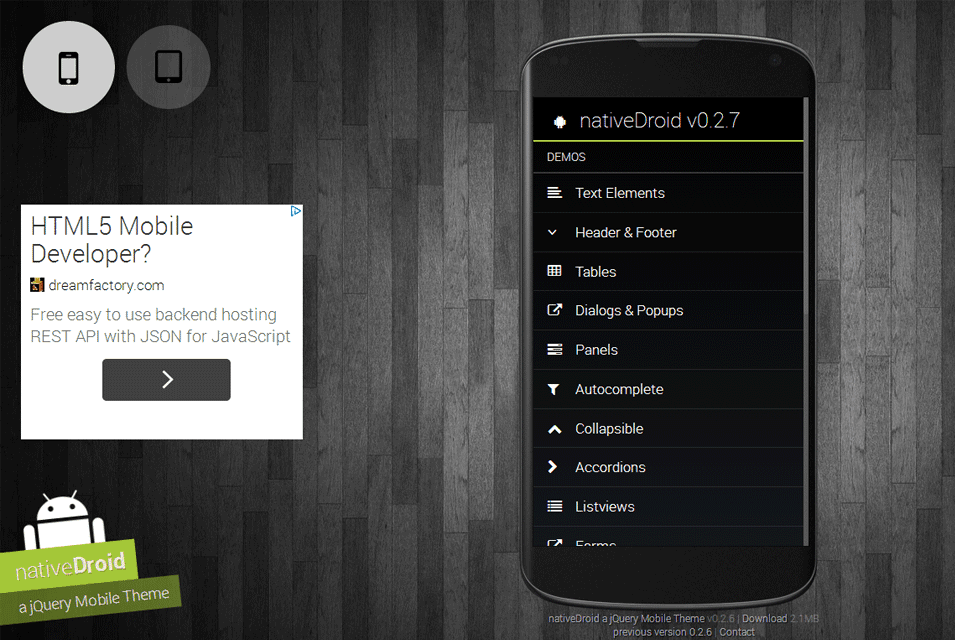
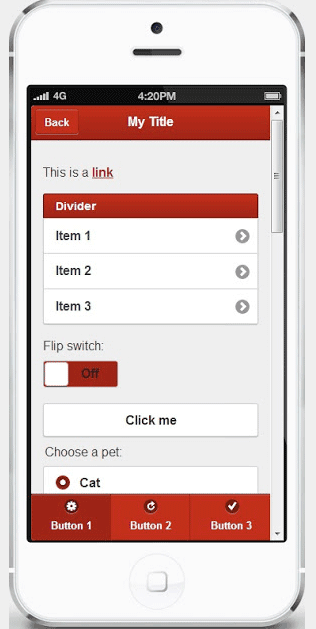
Each preview below is followed by a download button that takes you to the original source. A couple of the original source pages are no longer online, so those buttons are inactive; the previews are kept for design reference.

Customizing a jQuery Mobile Template Without Breaking It
jQuery Mobile themes are built around a fairly strict structure, so small, deliberate changes work better than big rewrites. Here’s a sensible order of work:
- Run the demo locally first. Serve the files from a simple local web server rather than opening them straight from your file system, since page loading via AJAX often fails on local file paths.
- Swap the branding. Replace the logo, app name and favicon, and update the header text on each page.
- Adjust colors through the theme file. Most themes define color “swatches.” Change those values instead of hard-coding colors on individual elements, so the whole app stays consistent.
- Replace sample content. Remove placeholder list items, demo images and lorem ipsum. Keep the markup structure (the data-role attributes) intact.
- Trim what you don’t use. Delete unused pages, plugins and icon sets to keep load times low on mobile connections.
- Test on several devices. Try at least one small phone, one large phone and a tablet, in both portrait and landscape.
A small real-world scenario
A warehouse team uses an internal stock-check app built years ago with jQuery Mobile. It works, but it looks dated and the buttons are hard to tap with gloves on. Instead of rebuilding everything, the developer applies a cleaner theme from a template, enlarges the tap targets, and raises the color contrast. The team gets a friendlier app in a few days, and the bigger rebuild can be planned properly later.
If a refresh like that is part of a paid job, put the details in writing first. A clear scope of work spells out which screens will change, which browsers you’ll test, and what is out of scope, which saves awkward conversations later.
Mobile Polish Checklist Before Launch
Whichever template you pick, the last 10 percent of the work is what users actually notice. Run through this list before you send the link to anyone:
- Tap targets are big enough. Buttons and list items should be easy to hit with a thumb, with a little space between them so people don’t tap the wrong thing.
- Text is readable without zooming. Body text that looks fine on a laptop can be tiny on a phone. Check the viewport meta tag and base font size.
- Forms use the right keyboards. Email fields should bring up the email keyboard, phone fields the number pad. Small detail, big difference.
- Back navigation behaves as expected. Hardware and browser back buttons should return users to the previous screen, not dump them out of the app.
- Images are compressed. Large demo images are a common reason older themes feel slow on mobile data.
- Error states exist. What happens when the network drops or a form is submitted empty? Make sure users see a clear message instead of a blank screen.
- Contrast passes a basic check. Light gray text on white backgrounds was fashionable in many older themes, but it is hard to read outdoors.
None of these items take long on their own, but together they turn a downloaded demo into something that feels finished. If you are handing the app over to a client or a colleague, write the results down and include them with your delivery notes, so everyone knows what was tested and on which devices.
Planning a Move Away From jQuery Mobile
Because the framework is no longer updated, it makes sense to plan an exit even if you refresh the theme today. You don’t have to do it all at once. A gradual approach usually looks like this:
- Inventory the app. List every page, form, API call and plugin. This becomes your migration checklist.
- Separate data from UI. Move business logic and API calls into plain JavaScript modules so they can be reused with a new interface.
- Rebuild one flow at a time. Start with the most-used screen, ship it with modern responsive markup, then move on to the next.
- Measure the results. Compare page weight and load times before and after, and collect feedback from real users.
If you’re pitching that migration to a manager or client, a structured document helps. Our business proposal templates are a good base for laying out the problem, the plan, the timeline and the cost. For ongoing support work after launch, a simple service request form keeps bug reports and change requests in one organized place, and a monthly SEO report template can show how the faster, modern pages perform in search.
Frequently Asked Questions
Is jQuery Mobile still supported?
No. It was officially deprecated in 2021 and no longer receives updates. Existing apps keep working, but new projects are better served by modern responsive tools.
Are these templates free?
Not all of them. Some come from open-source repositories, while others link to paid marketplace items. Always check the license on the source page.
Can I use a jQuery Mobile template with Bootstrap?
One of the themes in this collection borrows Bootstrap’s look, but mixing both frameworks’ JavaScript on the same page can cause conflicts. Test carefully, or pick one framework.
Why do some download buttons not work?
A few original source pages have been taken offline over the years. We keep those previews so you can still use them as design inspiration.
