
Writing a book is hard enough without wrestling with margins, page numbers and chapter headings. A good book template takes care of that structure, so you can focus on the words. Whether you are self-publishing a novel, producing a family memoir, assembling a cookbook or preparing a course workbook, starting from a well-built layout saves hours and gives the finished pages a professional feel.
Outline each section and record the content and artwork needed for your book. This guide includes one free original editable Excel worksheet, with a preview and a direct download below.
Free Editable Excel Worksheet
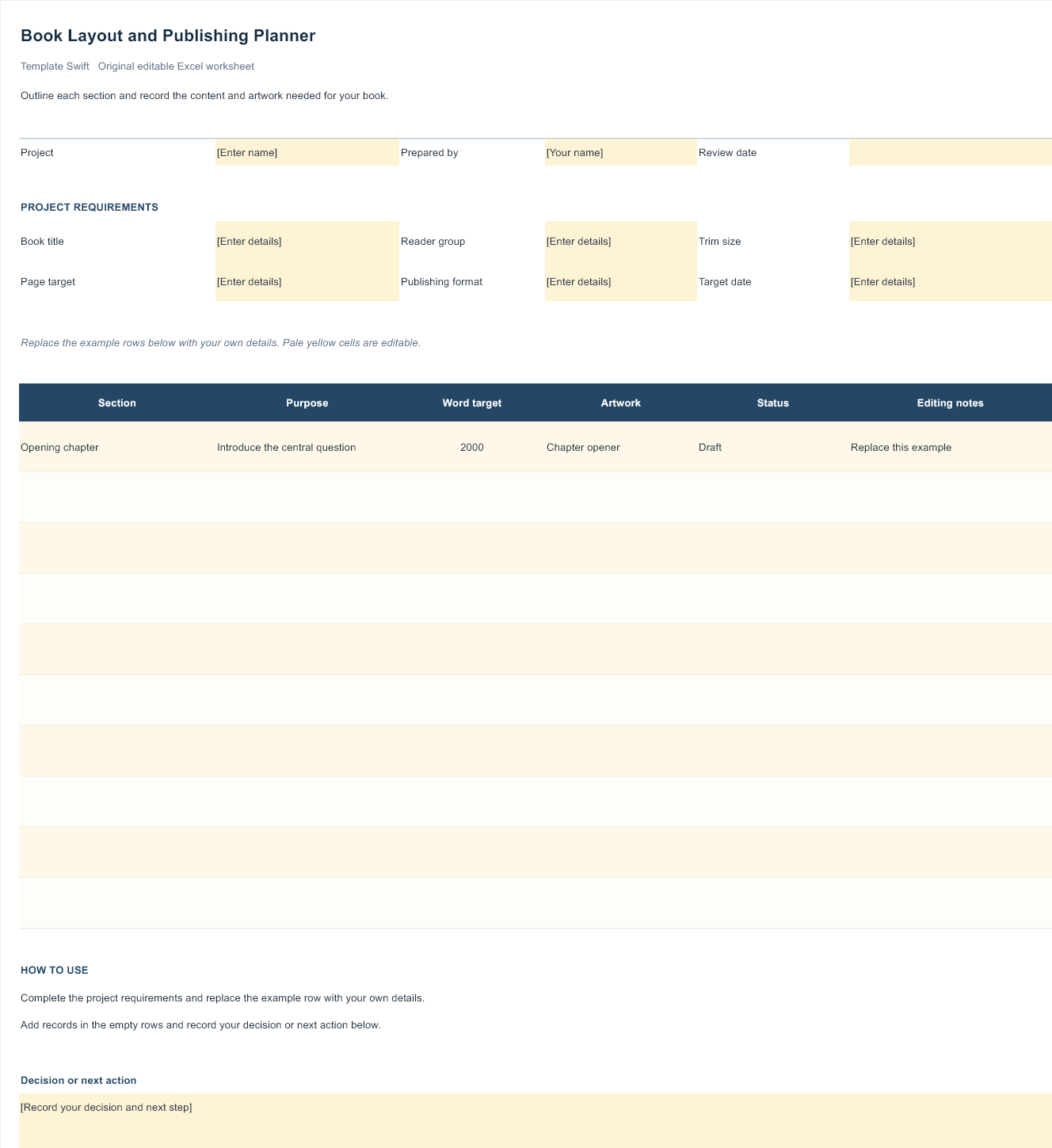
Book Layout and Publishing Planner
Outline each section and record the content and artwork needed for your book. This original Template Swift planning worksheet includes editable fields and an example row you can replace with your own details.
Download Book Layout and Publishing Planner (.xlsx)
Open the file in Microsoft Excel or a compatible spreadsheet application. Replace the example row, complete the highlighted input fields, and save your own copy.
The Parts of a Book Interior
Most printed books follow a familiar order, and readers notice when something is missing. A complete template usually includes:
- Front matter: half-title page, title page, copyright page, dedication, table of contents and, if needed, a foreword, preface or acknowledgements.
- Body: chapters or parts, each starting with a consistent chapter opener, often on a right-hand page.
- Back matter: appendices, notes, glossary, bibliography, index and an about-the-author page.
Not every book needs every element. A novel might only need a title page, copyright page, contents and chapters, while a non-fiction guide benefits from an index and references. Choose a template that includes the sections you need, or one flexible enough to add them easily.
Plan Before You Format
Formatting is the last stage of book production, not the first. Before you pour text into a template, make sure the manuscript is finished, edited and proofread. Every round of rewriting after layout risks shifting page breaks, breaking the table of contents and creating new errors. A clean, final manuscript makes formatting faster and far less stressful.
Decide early how readers will get your book. Will it be printed and sold through bookshops, printed in a short run for family and friends, released as an ebook only, or shared as a PDF with a class or company? Each route has different requirements. A family memoir printed in a small batch can be more relaxed about industry conventions, while a book sold through retailers needs a barcode, an ISBN where required, and files that meet the printer’s specifications exactly.
It also helps to gather everything the book needs in one folder before you start: the final manuscript, author photo, cover image, any illustrations or photos at full resolution, permissions for quoted material, and your copyright and dedication text. Having all the pieces ready means you can work through the template from front to back without stopping to hunt for missing files.
Finally, set a realistic schedule. Formatting, proofreading the laid-out pages, ordering a printed proof and making final corrections usually take longer than authors expect. Allow time for at least one printed proof, because errors that hide on screen often jump out on paper.
Choosing a Trim Size and Margins
Trim size is the finished size of the printed page, and it should be one of the first decisions you make, because changing it later reflows every page. Novels and memoirs often use compact sizes such as 5 x 8 or 5.5 x 8.5 inches, while non-fiction, workbooks and cookbooks tend to be larger, around 6 x 9 inches, A5 or bigger, to fit tables, photos and wider text. If you plan to use a print-on-demand service, check its list of supported sizes before you begin.
Margins matter more in books than in most documents. The inside margin, called the gutter, needs extra space so text does not disappear into the binding, especially in thicker books. Outer, top and bottom margins give the page breathing room and space for page numbers and running heads. Most template files have sensible margins built in; adjust them only if your printer’s guidelines require it.
Typography for Comfortable Reading
Long-form reading calls for quiet, well-proportioned type. Classic serif typefaces are the traditional choice for printed body text because they guide the eye along each line, though clean sans-serifs can work well for modern non-fiction and children’s books. Body text is typically set somewhere around 10 to 12 points, with line spacing a little larger than the font size.
Consistency is what makes a book look professional. Every chapter opener should follow the same design, paragraph indents should be identical throughout, and headings within chapters should use a clear, limited set of styles. Use your software’s paragraph styles rather than formatting text by hand; it makes global changes simple and keeps the layout consistent across hundreds of pages.
Watch for small typesetting issues before printing: single lines stranded at the top or bottom of a page, very short final lines of paragraphs, and large gaps in justified text. Fixing these by adjusting spacing or wording slightly gives the pages a polished, professional finish.
Preparing Files for Print and Ebook
Print and digital editions have different needs. For print, export a high-quality PDF at the exact trim size, with fonts embedded and images at print resolution. If any images or colours run to the edge of the page, add bleed as your printer specifies. The cover is usually a separate file that includes the front, spine and back, and the spine width depends on page count and paper type, so calculate it only once the interior is final.
Ebooks reflow text to fit each reader’s screen, so fixed page layouts do not carry over. Keep the manuscript cleanly styled with proper headings, and use an ebook conversion tool or service to create the file. Avoid manual line breaks, tabs for indents and text inside images, all of which cause problems on e-readers. Test the result on a phone and an e-reader before publishing.
Using Book Mockups to Promote Your Book
Several of the graphics above are mockups: realistic images of open or closed books into which you place your cover or page designs. They are useful for author websites, social media announcements, crowdfunding pages and pitches to bookshops. For more cover-focused scenes, see our collection of PSD book mockups, and for single sheets such as sample pages or press releases, our paper mockups work well.
Related Templates for Specific Books
Some kinds of books benefit from specialised layouts. Personal life stories can start from an autobiography template that prompts you through key chapters, and family histories pair naturally with family tree templates. Recipe collections need room for ingredients, steps and photos, which our cookbook templates provide. If your project is closer to a periodical, our magazine templates offer multi-column layouts.
Editable Word and Excel Resources
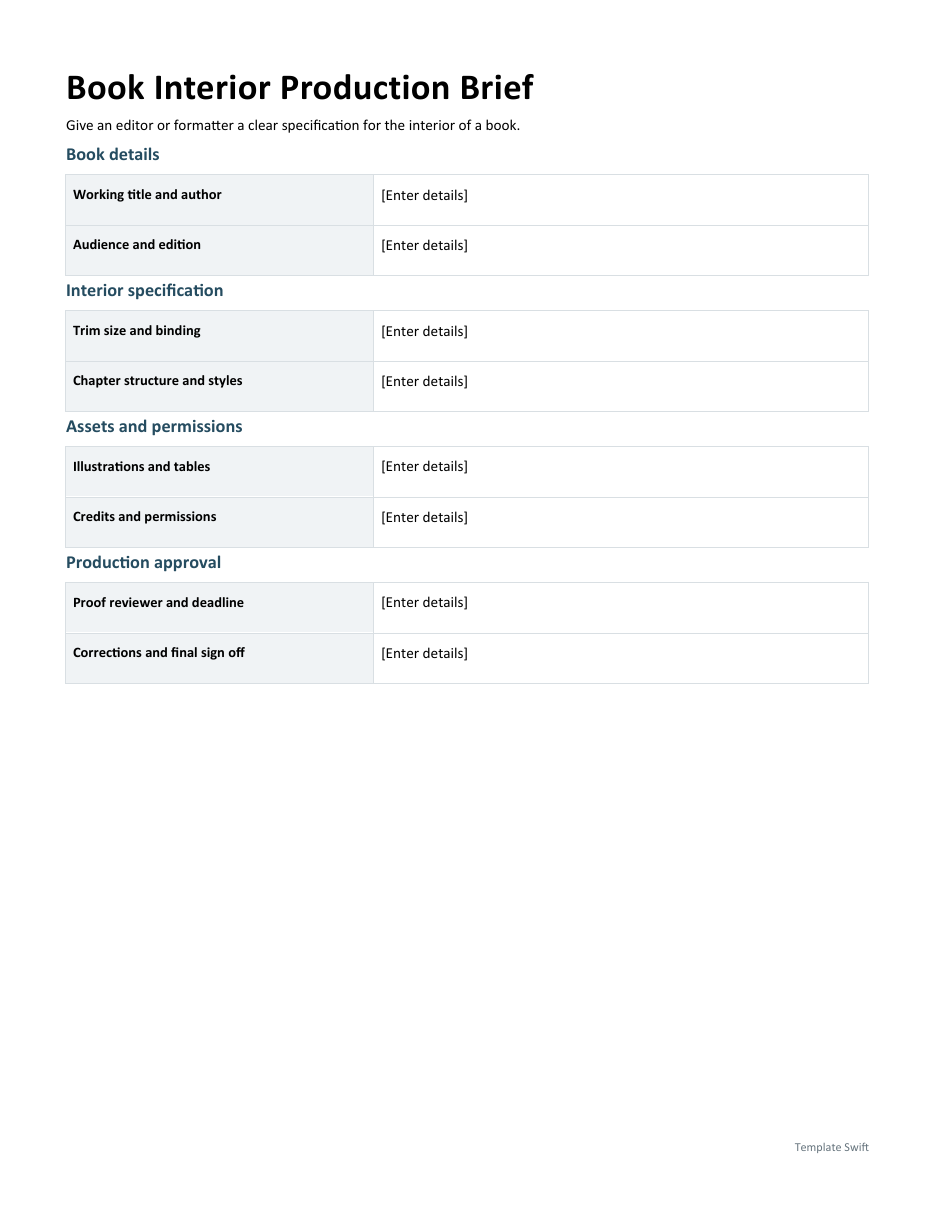
Book Interior Production Brief
Give an editor or formatter a clear specification for the interior of a book. Download the editable Word file below.
Frequently Asked Questions
Can I write my whole book in a template?
Yes, but many authors draft in a simple document first and move the finished text into a layout template once editing is done. This keeps writing and design separate and avoids repeated reformatting.
What software do I need?
A word processor is enough for simple books such as novels and memoirs. Desktop publishing software gives more control for illustrated or complex layouts. The mockups need an image editor that opens layered files.
What trim size should I choose?
Look at similar books in your genre and check your printer’s supported sizes. Fiction is often smaller, while workbooks, cookbooks and illustrated books are usually larger.
Do I need an ISBN?
It depends on how and where you publish. Many retailers and libraries require one for printed books. Rules and providers vary by country, so check with your national ISBN agency.
Are these book templates free to use commercially?
Use the worksheet to plan your project. Check the usage terms for any separate fonts, photographs, or artwork you choose to add.
