
Missed delivery windows rarely come from one big failure. They usually come from small things nobody wrote down: a driver who didn’t know the dock closes at 3 p.m., two orders promised for the same truck, a customer who changed their address last week. A simple delivery schedule template puts all of that on one page, so everyone from the warehouse to the person answering the phone knows what is going out, when and to whom.
This page gathers 7 delivery schedule examples you can use as a starting point, along with practical advice on setting one up, keeping it current and avoiding the mistakes that throw a delivery day off track. Whether you run a single van for a bakery or coordinate inbound shipments for a small manufacturer, the same basic structure applies.
What a Delivery Schedule Actually Does
At its core, a delivery schedule is a time-based list of shipments. Each row is a delivery, and each column answers a question someone will ask at some point in the day. It is related to, but different from, a few other shipping documents:
| Document | Main question it answers | When it is used |
|---|---|---|
| Delivery schedule | What is being delivered, where and when? | Planned ahead, then updated through the day or week |
| Delivery order | What exactly should be released or shipped? | Issued before goods leave the warehouse |
| Delivery note | What did the customer receive? | Travels with the goods and is signed on arrival |
| Order confirmation | What did the customer order and at what price? | Sent after an order is accepted |
If you need the paperwork that travels with the goods, our delivery note templates and delivery order templates fill those roles. The schedule is the planning layer that ties them together.
Columns Worth Including
Most delivery schedules use a table layout, which is why spreadsheets are a natural fit. Start with these columns and trim the ones you don’t need:
- Date and time window, for example “Tue, 9:00 to 11:00” rather than a single exact time
- Order or reference number so the row links back to the customer’s order
- Customer name and delivery address, plus any access notes such as gate codes or loading dock hours
- Contact person and phone for the receiving end
- Items and quantities, or a short description if the full list lives elsewhere
- Driver, vehicle or carrier assigned to the delivery
- Status: scheduled, loaded, out for delivery, delivered, rescheduled or failed
- Notes for special handling, cash on delivery or signature requirements
Daily, Weekly or Monthly: Choosing the Right View
The best layout depends on how often your deliveries change and how far ahead your customers order.
- Daily sheets suit couriers, florists, caterers and food suppliers with many short stops. They are usually organized by route and printed each morning.
- Weekly schedules work well for wholesalers, cleaning and maintenance suppliers, and businesses with regular repeat customers. They make it easy to spot overloaded days before they arrive.
- Monthly or contract schedules are common for supplier agreements and project deliveries, where a buyer expects set quantities on agreed dates over a longer period.
You can also combine them: keep a monthly plan for regular contract deliveries and generate a daily route sheet from it each morning.
7 Delivery Schedule Templates and Examples
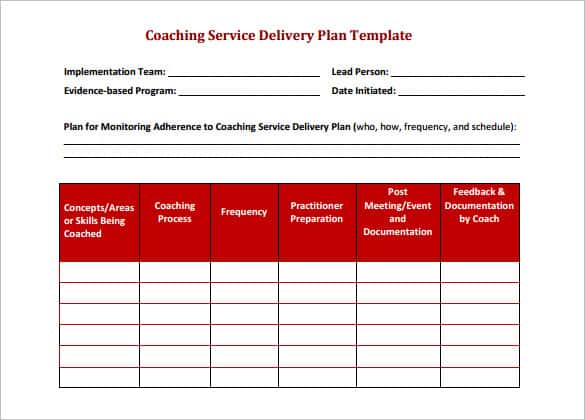
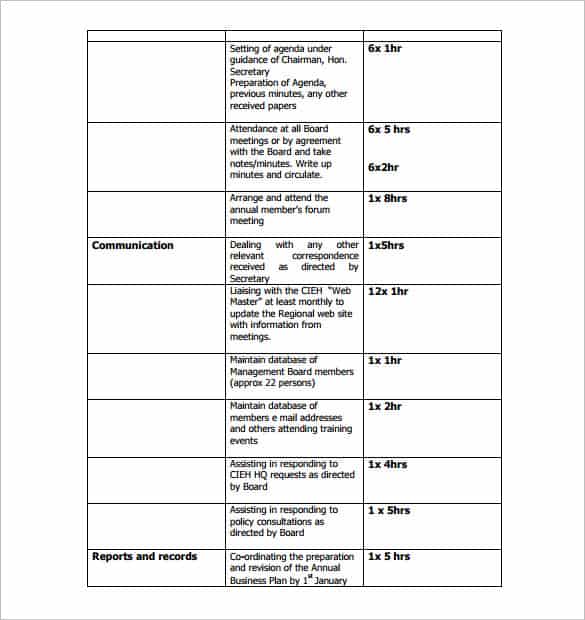
The examples below show different ways to lay out a schedule, from daily driver sheets to longer planning tables. Each download button links to the source of that example.
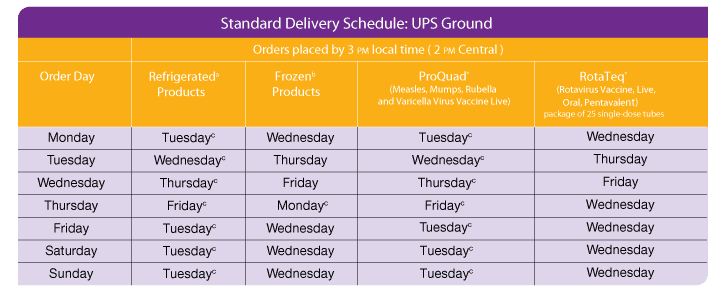

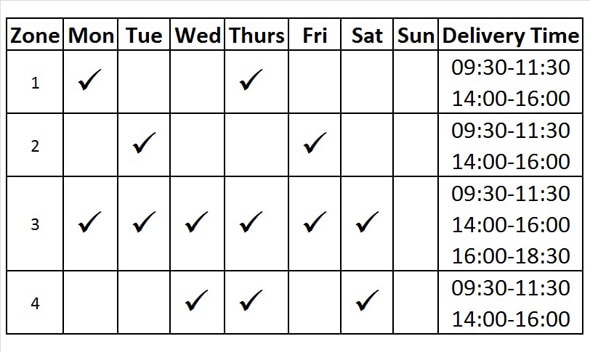
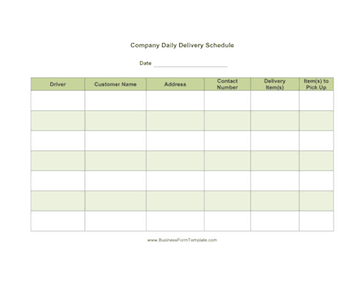
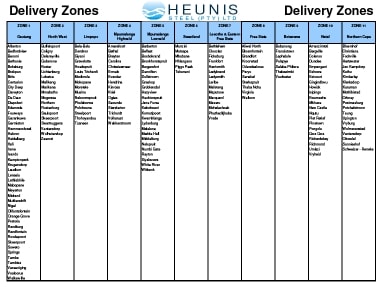
Setting Up Your Schedule in Five Steps
- Pick the time frame. A daily sheet works for local routes; a weekly or monthly view suits wholesale customers and inbound supplier shipments.
- Group deliveries sensibly. Sort by route or area first, then by time window, so drivers are not crossing town twice.
- Confirm windows with customers. A quick call or message the day before cuts down on failed attempts and wasted trips.
- Share one version. Keep the master file in a shared folder or print a fresh copy each morning, and mark the date on it so nobody works from yesterday’s plan.
- Update status during the day. Even a simple “done” mark lets the office answer “where is my order?” calls without chasing the driver.
Three Ways People Use Delivery Schedules
A local bakery with one van
Each evening the owner lists the next morning’s café and restaurant orders on a one-page sheet, sorted by neighborhood. The driver takes a printed copy, ticks off each stop and writes the time delivered. At the end of the week those sheets show which customers often need early drops and which are flexible.
A small warehouse shipping to retailers
The warehouse keeps a weekly spreadsheet with one row per outbound shipment and a column for the carrier pickup time. When a retailer moves a delivery date, the coordinator updates the row and the change is visible to the loading team straight away. The same file feeds the stock picture in an inventory list, so nobody promises goods that are already allocated.
A manufacturer receiving supplier deliveries
Delivery schedules are not only for outgoing goods. A production manager can list expected supplier deliveries by date, so the receiving dock has staff ready and the line does not stall waiting for parts. When a supplier misses a slot, the gap is obvious on the schedule and easy to follow up.
Keeping Customers in the Loop
A schedule only helps the customer if they know what is on it. Tell them the agreed time window when the order is placed, remind them a day before for larger or time-sensitive deliveries, and let them know quickly if anything changes. A short message such as “Your delivery is planned for Thursday between 1 and 3 p.m.; reply if that no longer works” heads off most missed drop-offs.
When a delivery does fail, note the reason on the schedule, whether it was a closed site, a wrong address or nobody available to sign. Over a few weeks those notes become a useful record of which customers need a call ahead and which addresses need extra directions.
Mistakes That Derail a Delivery Day
- Booking more stops than a route can realistically handle, with no allowance for traffic or loading time.
- Leaving out access details, so drivers arrive at a building that is closed or has no parking.
- Keeping several versions of the schedule, which leads to two people working from different plans.
- Not recording failed deliveries, so the same problem happens again next week.
- Forgetting to tell the customer when a delivery moves.
A short daily recap helps here. Many teams note completed and missed deliveries in a daily work report so patterns show up over time, and send customers an order confirmation that states the agreed delivery window up front.
A practical note: if you deliver regulated goods such as food, medicine or hazardous materials, record-keeping and delivery rules can be stricter and vary by state and country. Check the requirements that apply to your business.
Spreadsheet or Paper?
Both work. Spreadsheets make it easy to sort by route, filter by status and keep a history of past weeks, which is why Excel and similar programs are the usual choice for anyone handling more than a handful of deliveries a day. Paper still has a place on the road: a printed sheet does not run out of battery and lets drivers jot notes and collect quick confirmations. Many small businesses do both, planning in a spreadsheet and printing the day’s route each morning.
If you use a spreadsheet, a few simple touches make it easier to read at a glance: freeze the header row, color the status column, and add a filter so a dispatcher can show only today’s undelivered stops. Keep formulas light so the file still opens quickly on a phone.
Frequently Asked Questions
What is the difference between a delivery schedule and a delivery note?
A delivery schedule plans many deliveries over a period of time. A delivery note goes with a single shipment and lists what the customer received, often with a signature.
How far ahead should I plan deliveries?
It depends on your business. Local couriers often plan one day ahead, while wholesalers and manufacturers may schedule a week or a month out and adjust daily.
Can I make a delivery schedule in Excel?
Yes. Create a table with columns for date, time window, customer, address, items, driver and status, then sort or filter as needed. Several examples on this page follow that layout.
What should I do when a delivery is missed?
Mark it as failed on the schedule with a short reason, contact the customer to agree a new time window, and add the rebooked delivery as a new row so it is not forgotten. Reviewing missed deliveries weekly helps you fix recurring problems.
Who should have access to the delivery schedule?
Dispatchers, drivers, warehouse staff and customer service should all see the current version. Limit editing to one or two people to avoid conflicting changes.
Are these delivery schedule examples free?
Yes. They are free to view, and the download buttons take you to each example’s source. Some sources may have changed or moved over time.
