
The moment after a customer places an order is surprisingly fragile. Did it go through? Is the price right? When will it arrive? A clear order confirmation answers all three at once, and it gives both sides a written record if anything is questioned later.
This page offers 9+ free order confirmation templates in Word, Excel and PDF, including sales order confirmations, work order confirmations, an order approval form and simple Excel confirmation sheets.
Where an Order Confirmation Fits
Think of a typical sale as a short chain of documents: a quotation sets out the offer, the customer places an order, you send an order confirmation, the goods go out with a delivery note, and finally you issue an invoice. The confirmation is the point where both sides agree on exactly what is being supplied.
What to Show on the Confirmation
- Order number and order date
- Customer name, billing and delivery addresses
- Item descriptions, SKUs, quantities and unit prices
- Discounts, taxes, shipping charges and the total
- Payment status or terms
- Expected dispatch or delivery date
- Contact details for questions or changes
Download Order Confirmation Templates
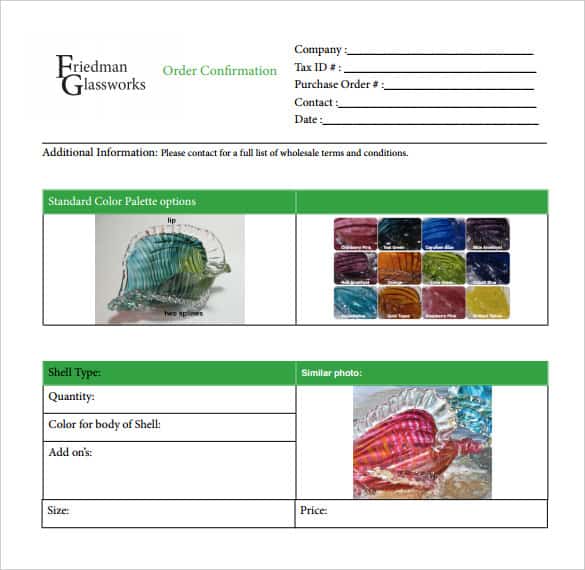


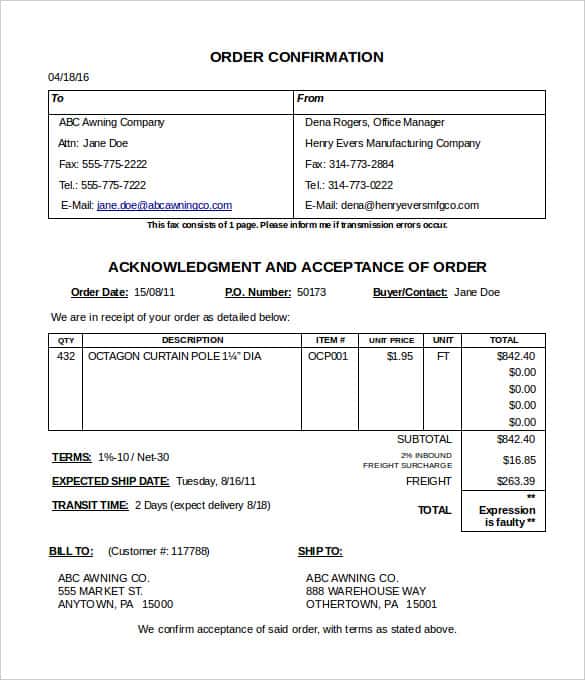


Small Touches That Prevent Big Problems
Send the confirmation quickly, ideally within an hour of the order. Ask the customer to reply if anything is wrong, and keep the order number consistent across every later document. If an order changes, issue a new confirmation rather than editing the old one, so there is a clear history. For wholesale buyers, it also helps to link to your refund and return policy.
Confirm the customer order against its source
Compare the confirmation with the purchase order, quotation acceptance or other source used by the business. Check the customer, billing and delivery details, item descriptions, quantities, currency and prices. Identify substitutions or changes explicitly rather than silently replacing an ordered item. If the order cannot yet be confirmed in full, separate the confirmed lines from the lines still awaiting stock, approval or a delivery commitment.
Make the next step clear
State the order reference, the intended delivery or collection arrangement and the contact route for questions. Give a promised date only where the business is authorised to make that commitment. Distinguish an estimated date from a confirmed date. If a deposit or another action is required, refer to the agreed terms and explain the action the customer needs to take. An order confirmation should not also imply that payment has been received unless that is true.
Retain changes against the same order
Keep later amendments linked to the original order reference and record who approved them. Changes to quantity, specification or address may affect purchasing, dispatch and billing, so identify the people who need the revised information. Before closing the order, compare the confirmed quantities with the dispatch and invoice records. This helps distinguish an incomplete shipment from an incorrect order entry when a customer asks about the delivery.
Frequently Asked Questions
What is an order confirmation?
It is a document or email from the seller confirming that an order has been received and accepted, with the items, prices and delivery details.
Is an order confirmation the same as an invoice?
No. A confirmation agrees what will be supplied. An invoice asks for payment once the goods or services are delivered or due.
Can I use these templates for services as well as products?
Yes. The work order confirmation template is designed for services, and the other templates can be adapted by changing the item descriptions.

You must be logged in to post a comment.