
People inside a company rarely stay in exactly the same role for long. Someone gets promoted, someone moves from part time to full time, someone transfers to the night shift. Each of those moves should be written down in the same way, and that is the job of an employee status change form.
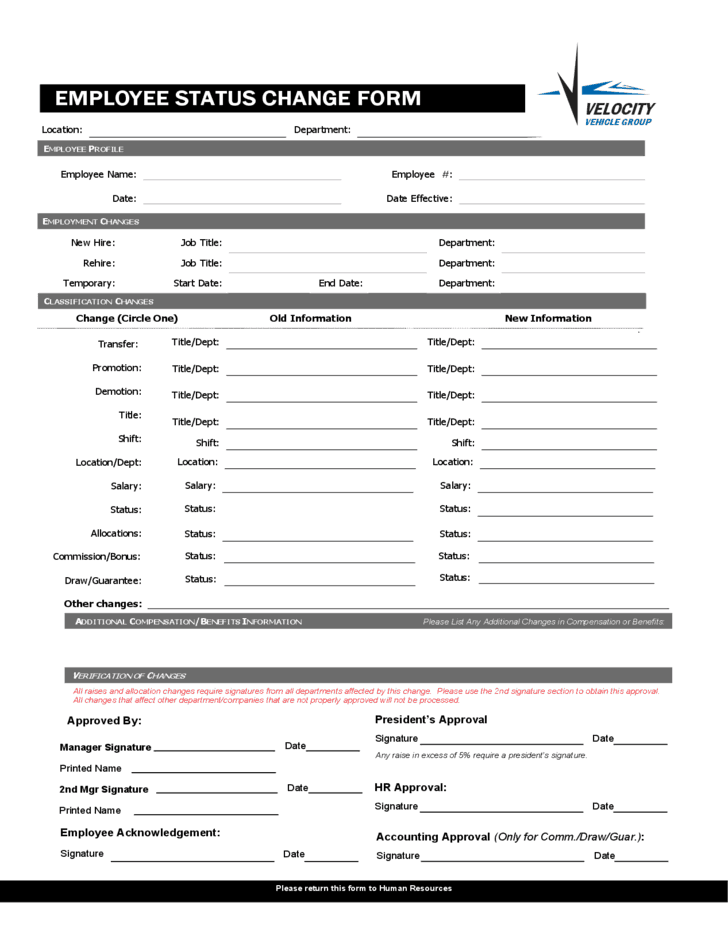
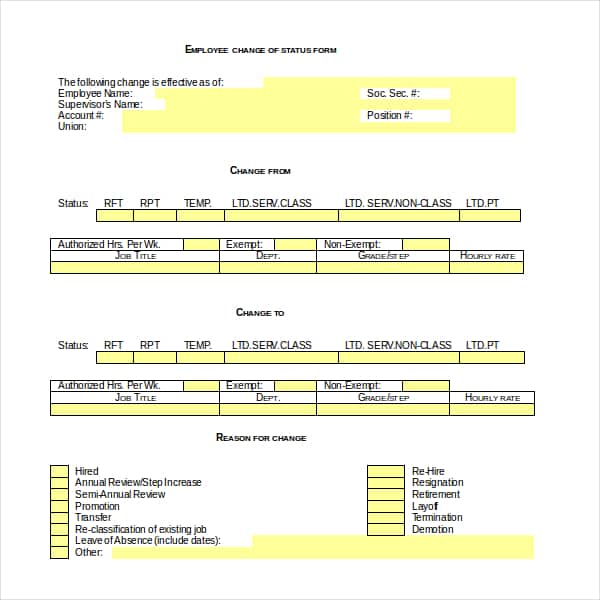
This page offers two free templates you can download, edit and print: a blank PDF form and an editable version for Word.
When HR Uses a Status Change Form
Use the form whenever something about an employee’s job record changes, for example:
- A promotion, demotion or new job title
- A pay rise or change in pay rate
- A move between full time, part time, temporary or contract status
- A transfer to another department, location or manager
- A change in shift, working hours or benefits
- Leave of absence, return to work, or termination
Having one standard form means payroll, the manager and the employee all see the same information, and the change sits neatly in the personnel file.
Fields to Include
A practical form has the employee’s name, ID number and department at the top. Below that come two columns, “current” and “new”, for job title, pay, hours, manager and status. Finish with the effective date, the reason for the change, and signatures from the manager, HR and, ideally, the employee.
Download Employee Status Change Forms

Pair It With the Right Letter
The form is the internal record; the employee usually also deserves a letter. For a step up, send one of our employee promotion letters. For a new hire or a new role, an appointment letter works well. If the change follows a conduct issue, document it first with an employee write-up form.
Frequently Asked Questions
Who fills out an employee status change form?
Usually the employee’s manager starts it, HR checks and approves it, and payroll uses it to update records.
Does the employee need to sign it?
It is good practice. The signature confirms the employee has seen the change, which helps avoid disputes later.
How long should these forms be kept?
Keep them in the personnel file for as long as your local employment and tax rules require, which is often several years after employment ends.

You must be logged in to post a comment.