
A beautifully printed brochure still does something a website can’t: it sits on a client’s coffee table, gets passed to a partner, and is flipped through again the night before a decision. For designers, decorators and home remodelers, interior design brochure templates make it easy to produce that kind of polished piece, with layouts that give your project photos room to breathe and space for services, process and contact details.
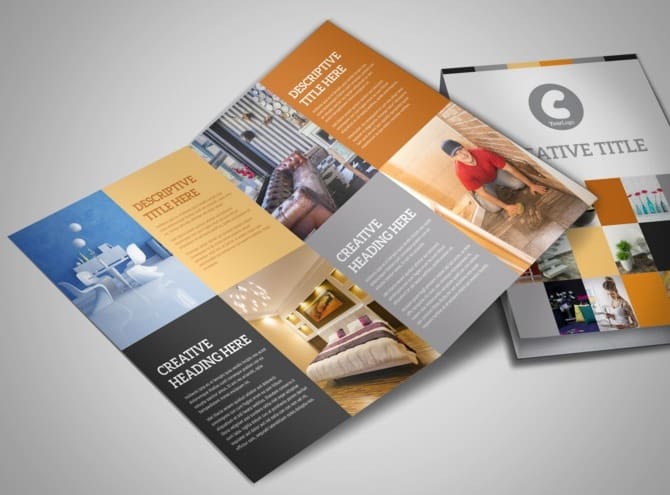
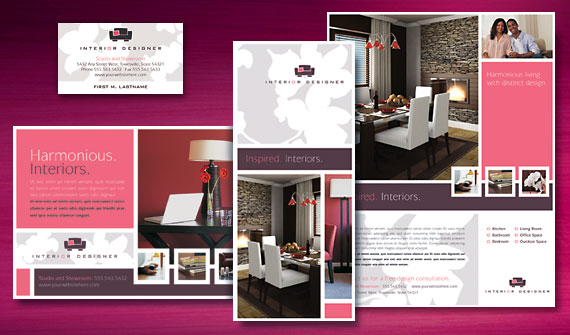
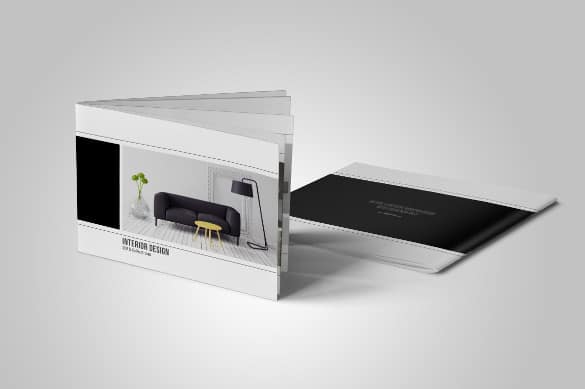
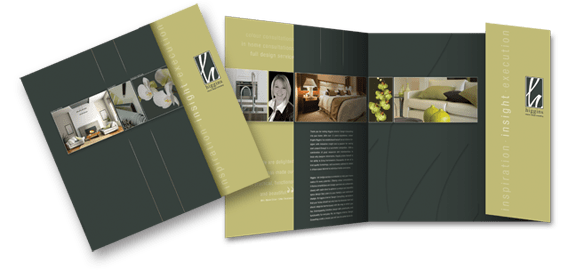
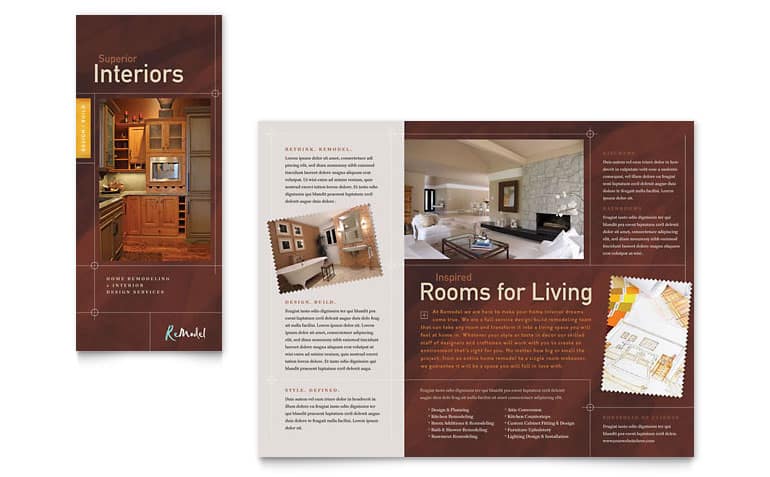
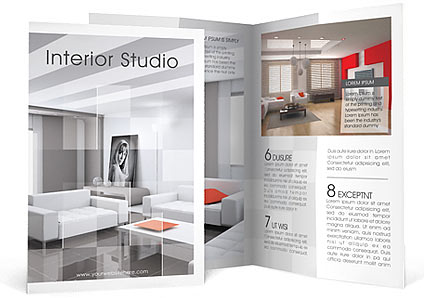
Below you’ll find six brochure designs, including tri-fold layouts, service brochures and catalog-style pieces for interiors and home remodeling. Some are editable online or in Word, some are design examples for inspiration, and two original pages are no longer available. Before the gallery, we’ll cover what to include and which format to choose; after it, you’ll find writing tips, printing advice and ways to put your brochure to work.
What an Interior Design Brochure Should Do
- Show your style instantly with two or three of your strongest project photos.
- Explain what you offer, from full-service design to color consultations or e-design packages.
- Describe your process so first-time clients know what working with you looks like.
- Build trust through credentials, years of experience and, with permission, a short client testimonial.
- Make the next step easy with a clear call to action and contact details.
Choosing a Brochure Format
| Format | Best for | Tip |
|---|---|---|
| Tri-fold (letter size) | Showrooms, home shows, mailing | Use the front panel for one hero image and your name. |
| Bi-fold | Service menus and price guides | Great for a clean four-page layout. |
| Square booklet | Premium portfolios and client packs | Feels like a mini coffee-table book. |
| Multi-page catalog | Furniture, decor or finish collections | Group products by room or style. |
| Digital PDF | Email follow-ups and website downloads | Keep the file size small and links clickable. |
Write the content before choosing a template
Gather your best photos and draft the text first: a one-line positioning statement, a short “about” section, your services, a simple three- or four-step process, and contact details. Then pick a template that fits that amount of content. It’s much easier than squeezing your story into a layout designed for something else.
About these designs: Buttons link to the original sources, which include an online brochure editor, a Word template provider, design galleries and a designer’s sample page. Two sources have been removed. Some items are templates you can edit; others are finished examples to inspire your own layout. Check each source’s license before using a design commercially.
6 Interior Design Brochure Templates and Examples

A Simple Panel-by-Panel Plan for a Tri-Fold
| Panel | What to put there |
|---|---|
| Front cover | Your best project photo, studio name, a short tagline |
| Inside flap | A warm welcome and a two-sentence summary of your approach |
| Inside left | Services, each with one line of explanation |
| Inside center | Two or three portfolio images with room labels |
| Inside right | Your process in three or four steps |
| Back panel | Contact details, service area, website and a QR code to your portfolio |
Writing Copy That Sounds Like You
- Lead with the client’s goal. “Create a home that feels calm, practical and completely yours” says more than a list of credentials.
- Keep sentences short. Brochures are skimmed. Short sentences and clear headings help.
- Use specific examples. “Small-space solutions for city apartments” is more memorable than “we design all spaces.”
- Include a call to action. Invite readers to book a consultation, visit your studio or scan the QR code for your full portfolio.
- Be accurate about pricing. If you mention prices or packages, make sure they’re current and clearly state what’s included.
Example: A two-person design studio created a square, eight-page brochure that mirrored a client’s journey: inspiration, design, sourcing and the final reveal. Each page used one large photo from a real project and a short caption. They left copies at a partner furniture store and handed them out at a local home show, and several new clients mentioned the brochure when they called.
Making a Digital Version That Works Too
Many clients will first see your brochure as a PDF attached to an email or downloaded from your website. A few adjustments make the digital version just as effective as the printed one:
- Export pages in reading order. A tri-fold’s printed panel order isn’t the order people read on screen. Create a separate digital layout with panels arranged front to back.
- Make links clickable. Your website, email address, booking page and portfolio should all open with one tap.
- Keep the file light. Compress images so the PDF downloads quickly on a phone, ideally just a few megabytes.
- Use real text. Text that’s part of an image can’t be searched or read by screen readers. Keep headings and body copy as live text.
- Name the file clearly. “StudioName-Interior-Design-Services.pdf” is easier to find later than “brochure-final-v3.pdf.”
Update the digital version whenever your services, prices or portfolio change. Unlike a print run, a PDF costs nothing to refresh, so it’s a good place to show your newest projects between print updates.
Design and Printing Tips
- Let photos lead. Use fewer, larger images rather than many small thumbnails. Interior work needs space to impress.
- Keep the palette calm. Pull one or two accent colors from your logo or signature style and use plenty of white space.
- Choose paper deliberately. A heavier, uncoated or matte stock feels upscale; gloss makes colors pop. Ask your printer for samples.
- Set up bleed and safe margins. Extend background images past the trim line and keep text away from folds.
- Proof a physical copy. Colors on screen rarely match print exactly. Order one proof before a full run.
- Add a background texture sparingly. A subtle stone or linen texture can feel luxurious; our Photoshop marble textures work well for covers and section dividers.
Before sending a design to clients, it helps to show a realistic preview. Placing pages onto A4 paper PSD mockups gives a convincing look at the finished brochure, even before printing.
Getting Your Brochure Into the Right Hands
- Leave copies at partner showrooms, furniture stores, tile and paint suppliers.
- Bring them to home shows, open houses and networking events.
- Mail them to past clients with a note about new services.
- Send a PDF version after first calls, alongside your company profile.
- Link the digital version from your website. If you’re building or refreshing one, these interior design WordPress themes pair nicely with a printed brochure.
If you also sell products, a separate catalog template keeps your services brochure focused while still showcasing furniture, lighting or decor.
Common Brochure Mistakes
- Using stock photos instead of your own projects, which can mislead clients about your work.
- Cramming every service and every project into one piece.
- Tiny, light text that’s hard to read in dim showroom lighting.
- Out-of-date contact details or prices.
- No clear next step for the reader.
Frequently Asked Questions
Can I edit these brochure templates in Word?
At least one source offers Word-compatible tri-fold templates. Others use online editors or design software. Check the format on each source page.
What size is a standard tri-fold brochure?
In the US, tri-folds are usually printed on letter-size paper (8.5 x 11 inches) and folded into three panels. A4 is common elsewhere.
Should I include prices in my brochure?
Many designers list packages or starting prices to set expectations, but keep detailed quotes for consultations. Make sure printed prices stay current.
How many photos should I use?
Quality over quantity. Four to eight strong images in a tri-fold usually look better than a crowded collage.
