
Got a new phone and your old SIM card doesn’t fit the tray? Most carriers will swap it for free, but if you need the phone working today, a printable micro SIM card template lets you trim a standard SIM down to size at home.
Below are 8 free micro SIM cutting guides in PDF format, including universal templates that show standard, micro and nano outlines on one sheet.
SIM Card Sizes at a Glance
| Type | Also called | Size |
|---|---|---|
| Standard (mini) SIM | 2FF | 25 x 15 mm |
| Micro SIM | 3FF | 15 x 12 mm |
| Nano SIM | 4FF | 12.3 x 8.8 mm |
Many newer phones also support eSIM, a built-in digital SIM with no card at all. If your phone and carrier support it, that’s an alternative to cutting.
Printable Micro SIM Cutting Templates
Detailed Micro Sim Card Cutting Guide Template
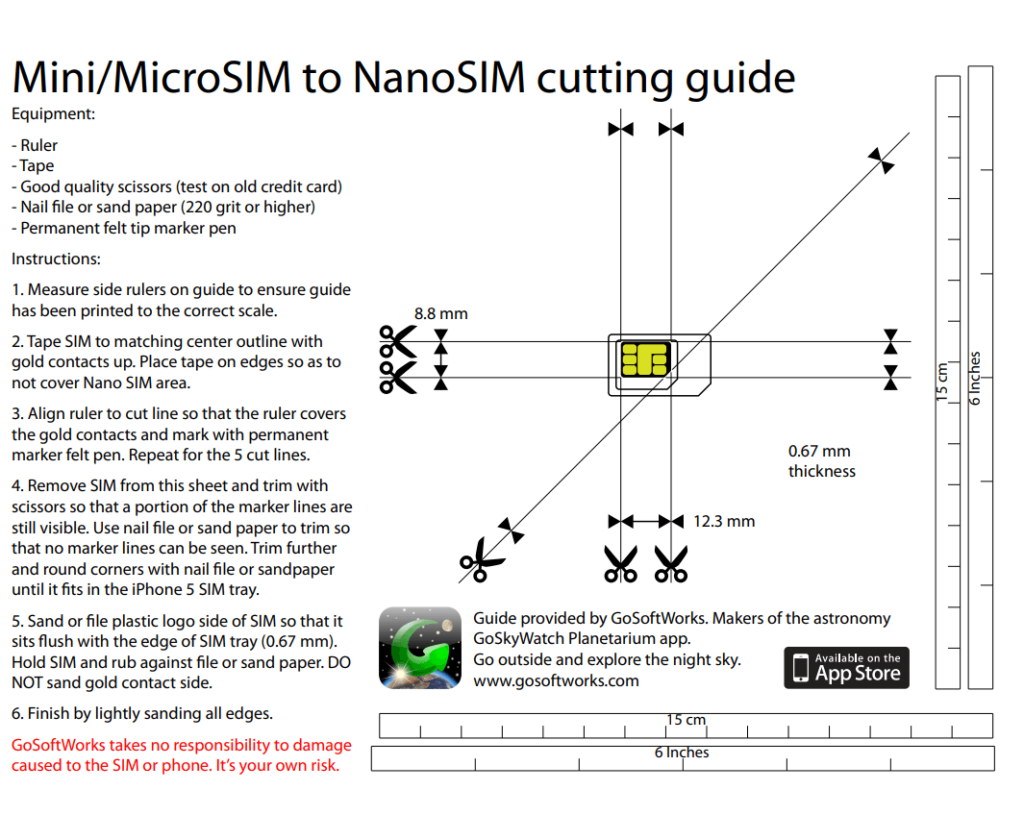
Illustrative Micro Sim Card Template PDF
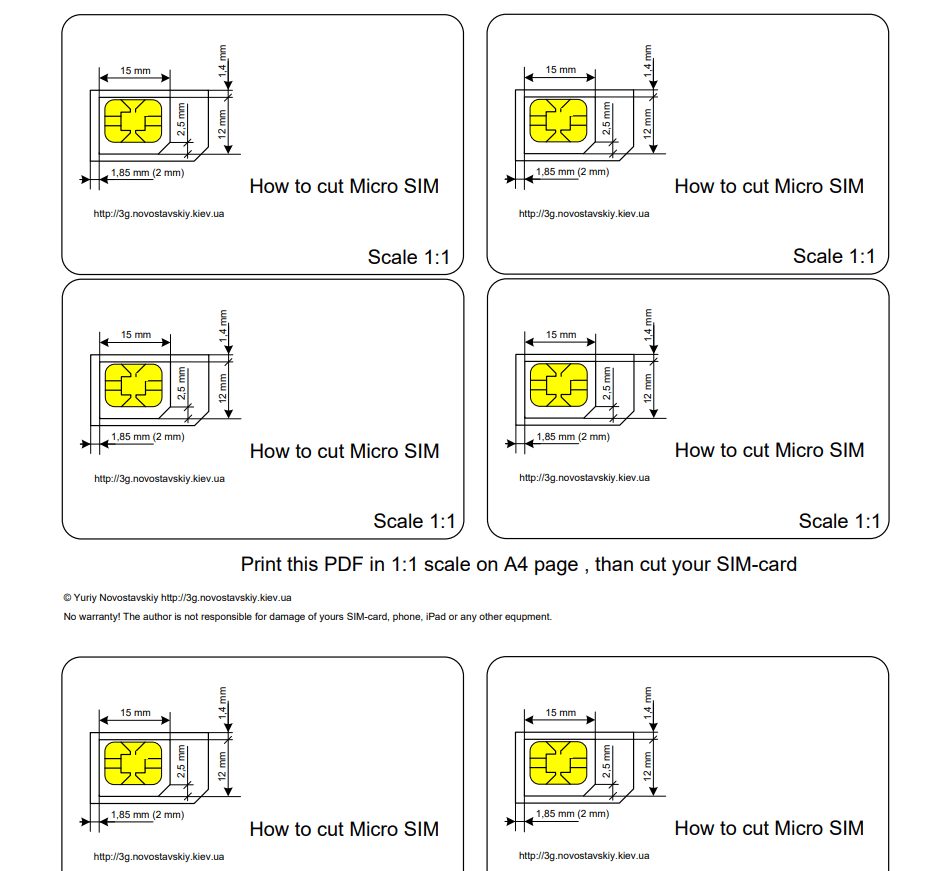
Smartphone Micro Sim Card Template
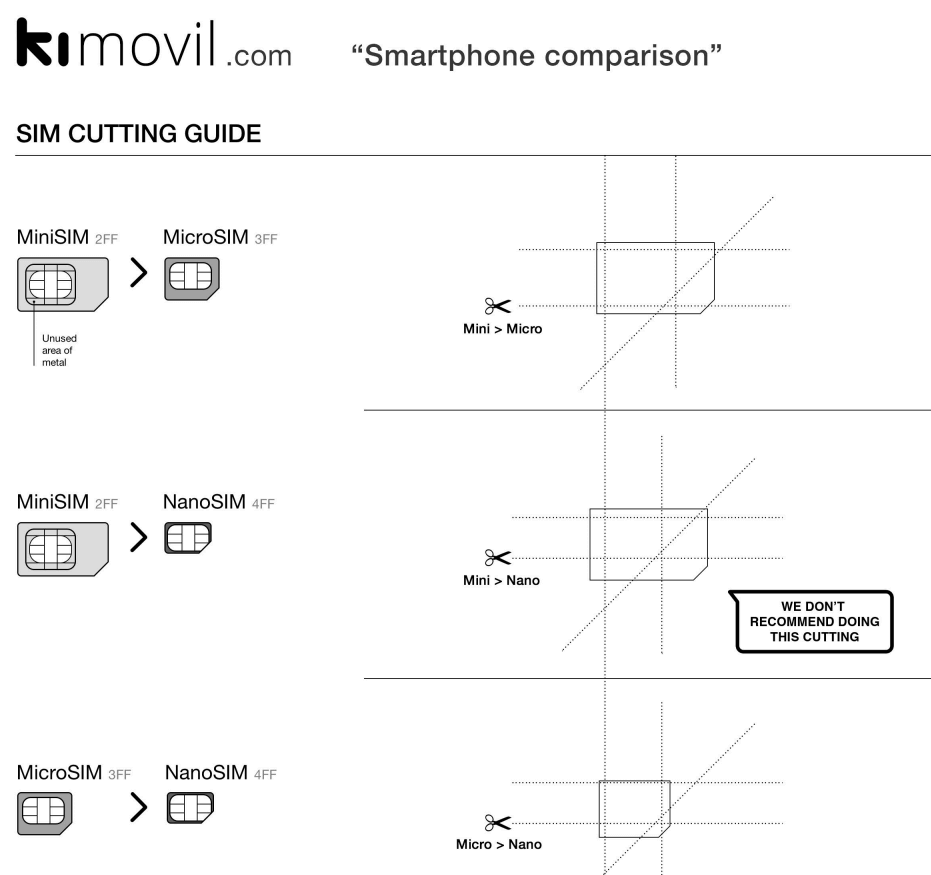
Universal Sim Card Cutting Template
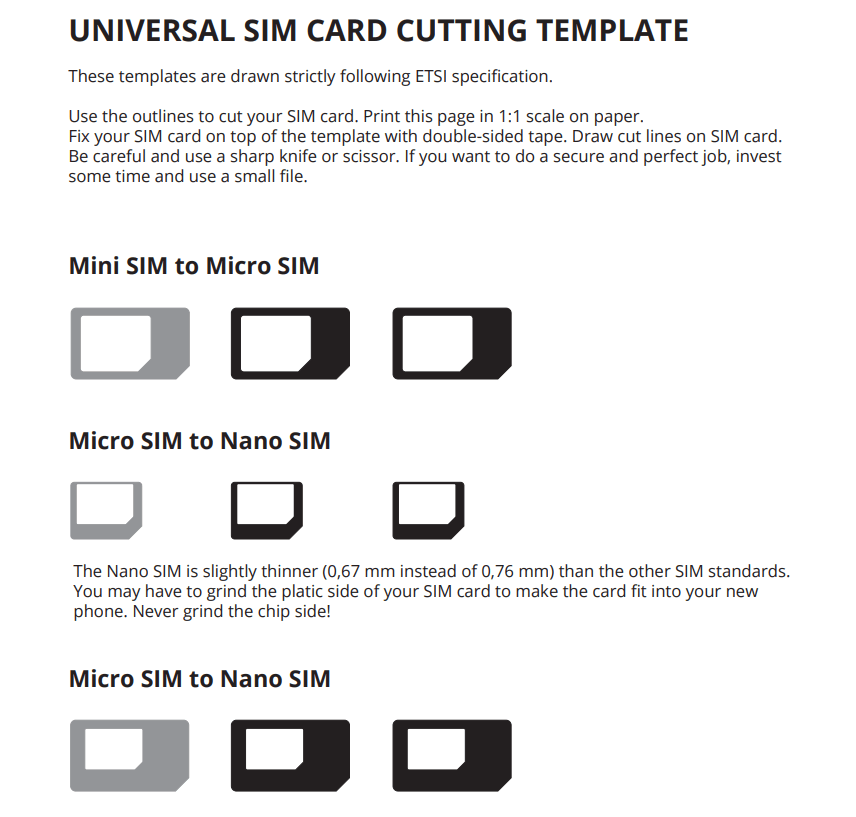
Free Printable Micro Sim Card Cutting Template
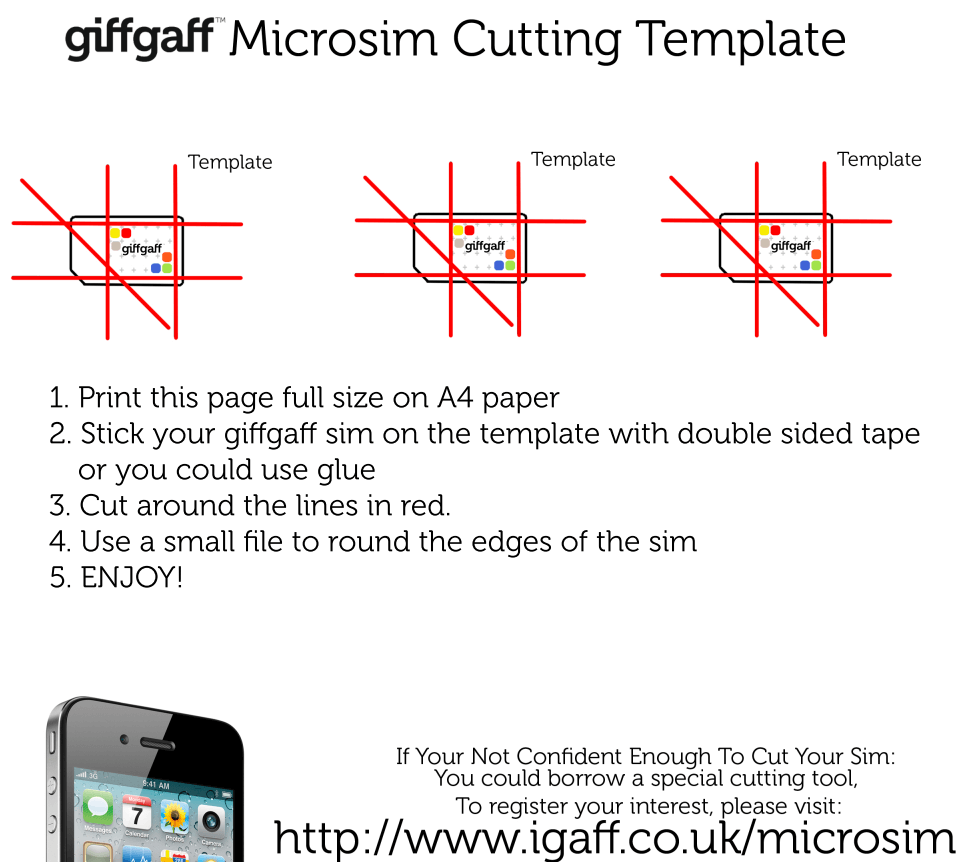
Sample Micro Sim Card Template PDF
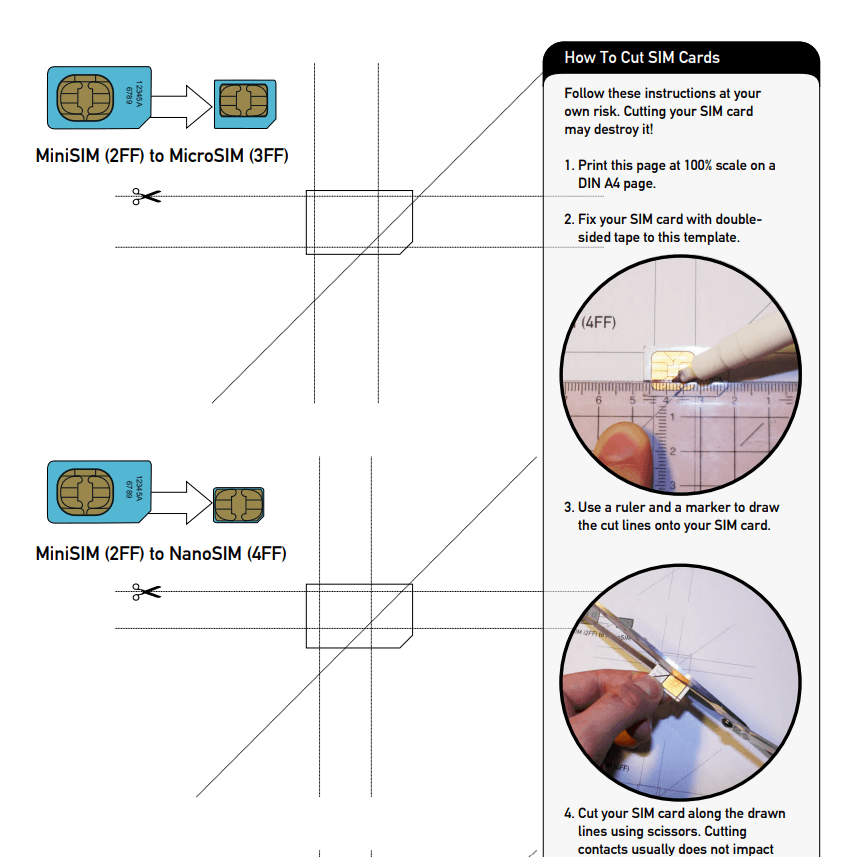
iPad/iPhone Micro Sim Card Template
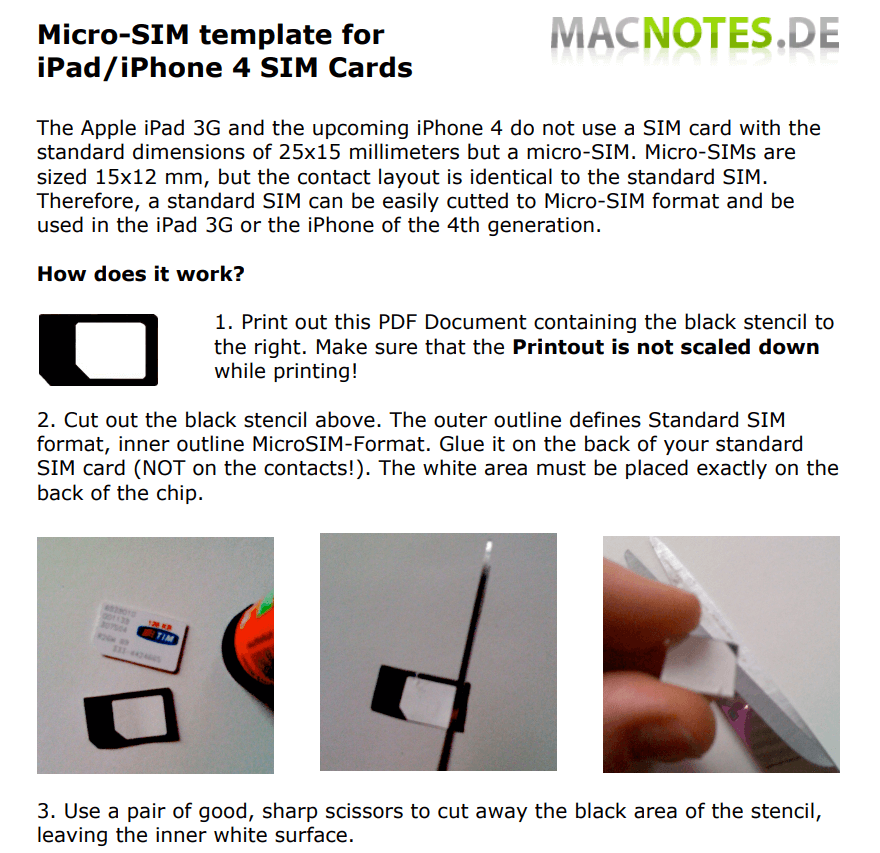
Useful Micro Sim Card Cutting Guide Example
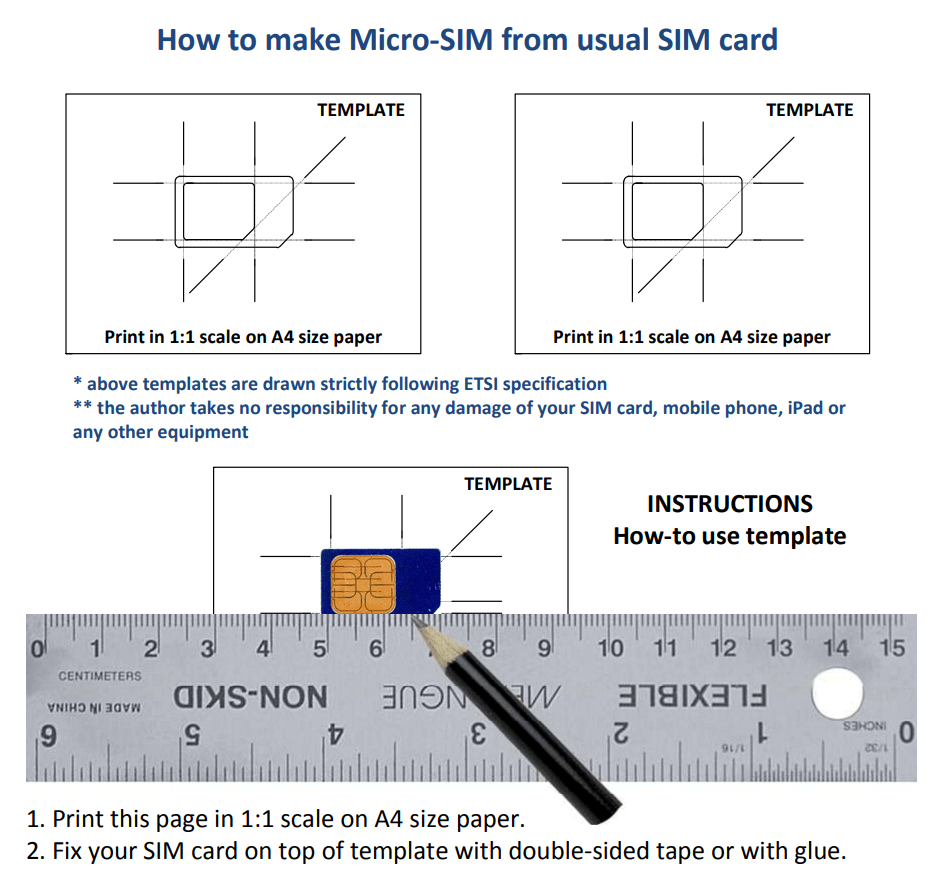
How to Cut a SIM Card Safely
- Print at actual size. In the print dialog, choose 100% or “Actual size,” not “Fit to page.” Measure the outline with a ruler to confirm.
- Back up your contacts to your phone or cloud account first.
- Line up the gold chip exactly with the chip on the template and tape the SIM in place.
- Trace the outline with a fine marker, then cut slowly with sharp scissors. Cut a little outside the line and trim down.
- Smooth the edges with a nail file so the card slides into the tray without catching.
Be careful: never cut into the gold contacts. If the chip is damaged the SIM won’t work, and you’ll need a replacement from your carrier anyway. When in doubt, ask your carrier for a correctly sized SIM.
Printing other small cut-outs? Our ID card templates and dog tag templates use the same print-to-scale approach. If you’re setting up a new phone, a printable contact list is a handy backup, and you can track devices and accessories with an inventory list.
Frequently Asked Questions
Can I cut a micro SIM down to nano size?
Yes, using the nano outline on a universal template. The margin for error is smaller, so trim slowly and check the fit often.
Will cutting my SIM card void anything?
It won’t affect your phone, but a damaged SIM must be replaced by your carrier. Most carriers replace SIMs free or for a small fee.
Why doesn’t my printed template match my SIM?
Your printer probably scaled the page. Reprint at 100% scale with scaling turned off.
Can I use a cut SIM in its original size again?
Yes, with a SIM adapter, a small plastic frame that brings a micro or nano SIM back to standard size.

You must be logged in to post a comment.