
Anyone who has run a car show knows the morning rush: a line of gleaming cars at the gate, owners waving cash, and a volunteer with a clipboard trying to figure out who entered which class. A clear car show registration form turns that chaos into a five-minute check-in.
Below are 4 printable car show registration form templates you can edit in Microsoft Word. They work for club meets, charity shows, school fundraisers, cruise nights and judged competitions.
What the Form Should Capture
About the owner
Name, address, phone, email and club membership, if any. Add an emergency contact for longer events.
About the vehicle
Year, make, model, color and any modifications worth noting for the judges. Some shows also ask for a license plate number or VIN for security.
Entry details
Class or category (stock, modified, classic, import, truck, motorcycle), pre-registration or day-of entry, and the fee paid.
Waiver and signature
A short liability release and a signature line protect the organizers and set expectations about safety on the grounds.
Pre-Registration vs. Day-of Entry
Offering a discounted pre-registration fee gives you an early headcount and cash to cover trophies and insurance. Keep a stack of printed forms at the gate for walk-ups, and number each form so you can match it to a windshield card.
Download Car Show Registration Form Templates



Running a Smoother Show
- Print a simple sign-in sheet for volunteers and judges.
- Publish a clear event schedule with gate times, judging and awards.
- Give every paid entrant a payment receipt, especially for cash payments.
- Thank sponsors and winners afterwards with certificates of participation.
Need a general-purpose sign-up form for other events? Try our printable registration form templates.
Register the vehicle and the entrant separately
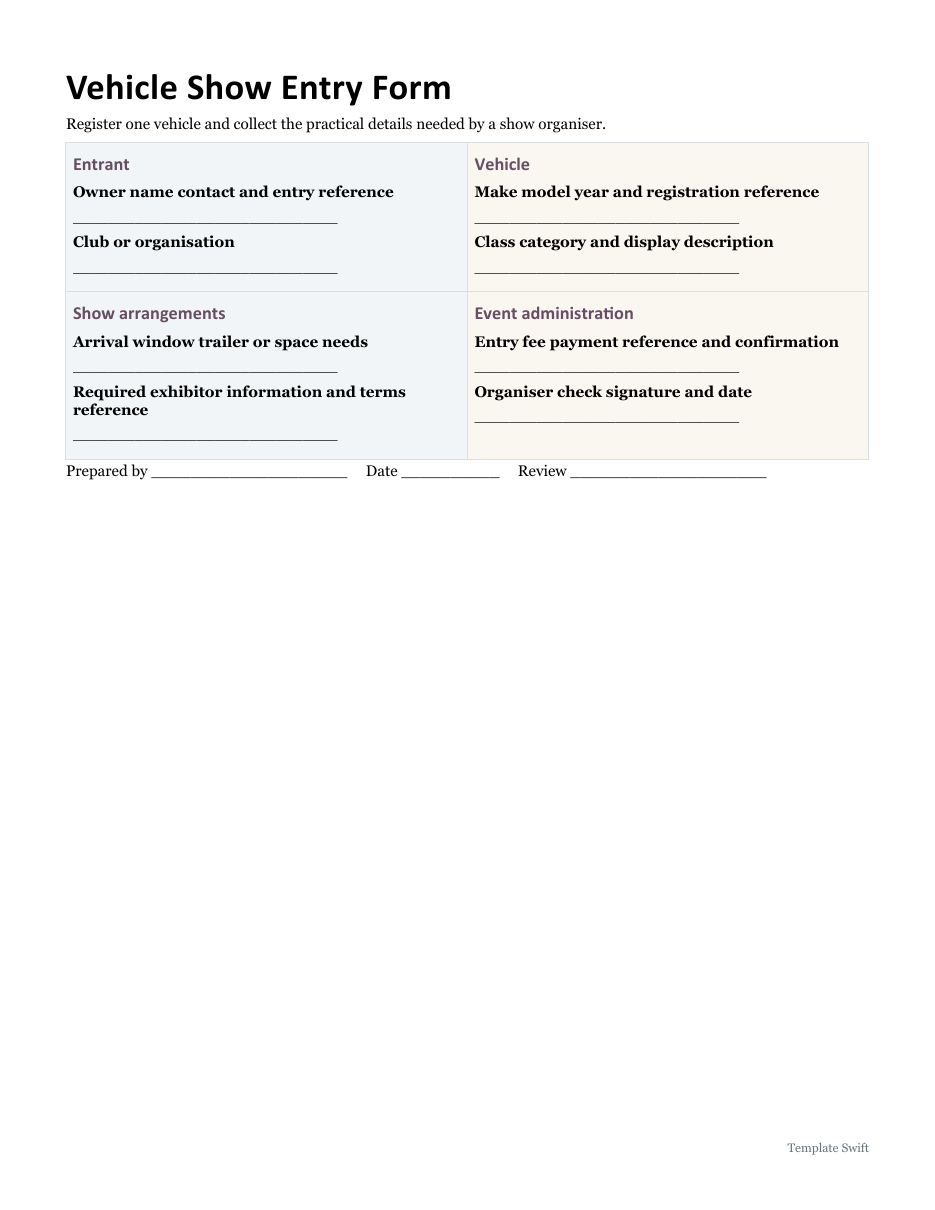
A show entry needs enough information to identify the entrant, the vehicle and the correct display class. Ask for a contact who can answer practical questions before the event. Keep the vehicle description consistent with the event categories rather than leaving the organiser to infer a class from a model name. Record any club affiliation only where it affects the display arrangement or the event administration.
Plan arrival and display requirements
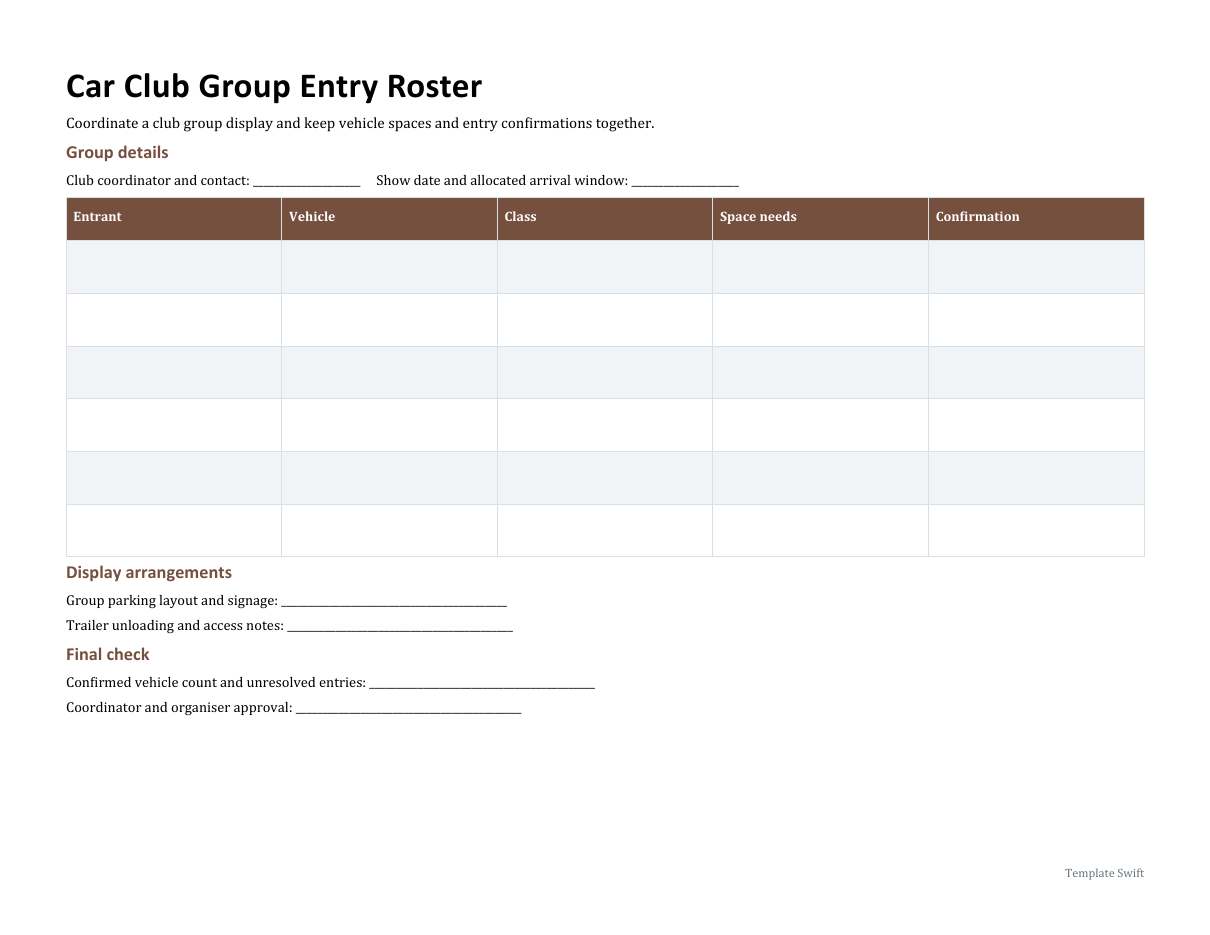
Ask about trailers, unloading, allocated space and any other arrangement that the organiser needs to confirm. State an arrival window and identify where entrants can find the event instructions. Keep the registration reference connected to payment or confirmation records. A club group roster is useful when several vehicles are coming together, but each entry still needs enough information for the organiser to identify the owner or responsible contact.
Issue a clear confirmation
Before sending the final instructions, check the entered vehicles against the confirmed spaces and resolve missing class or payment details. Give entrants the event date, arrival point, contact route and the relevant terms or instructions. Avoid putting private contact details on a public running order. Retain a current coordinator copy so late changes can be handled without relying on several different versions of the original entry form.
Editable Word and Excel Resources
Vehicle Show Entry Form
Register one vehicle and collect the practical details needed by a show organiser. Download the editable Word file below.
Car Club Group Entry Roster
Coordinate a club group display and keep vehicle spaces and entry confirmations together. Download the editable Word file below.
Frequently Asked Questions
What information is needed to register a car for a show?
Typically the owner’s contact details, the car’s year, make, model and color, the class being entered, and payment of the entry fee.
Should a car show registration form include a waiver?
Yes. A short liability waiver is common and helps protect the organizers. Check local requirements or ask your insurer what wording they recommend.
Can I change the classes on these templates?
Yes. The Word files are fully editable, so you can rename classes, adjust fees and add your club logo.

You must be logged in to post a comment.