Simple Excel and printable logs to record daily spending, business expenses and petty cash with running balances.
Choose the spending record you need
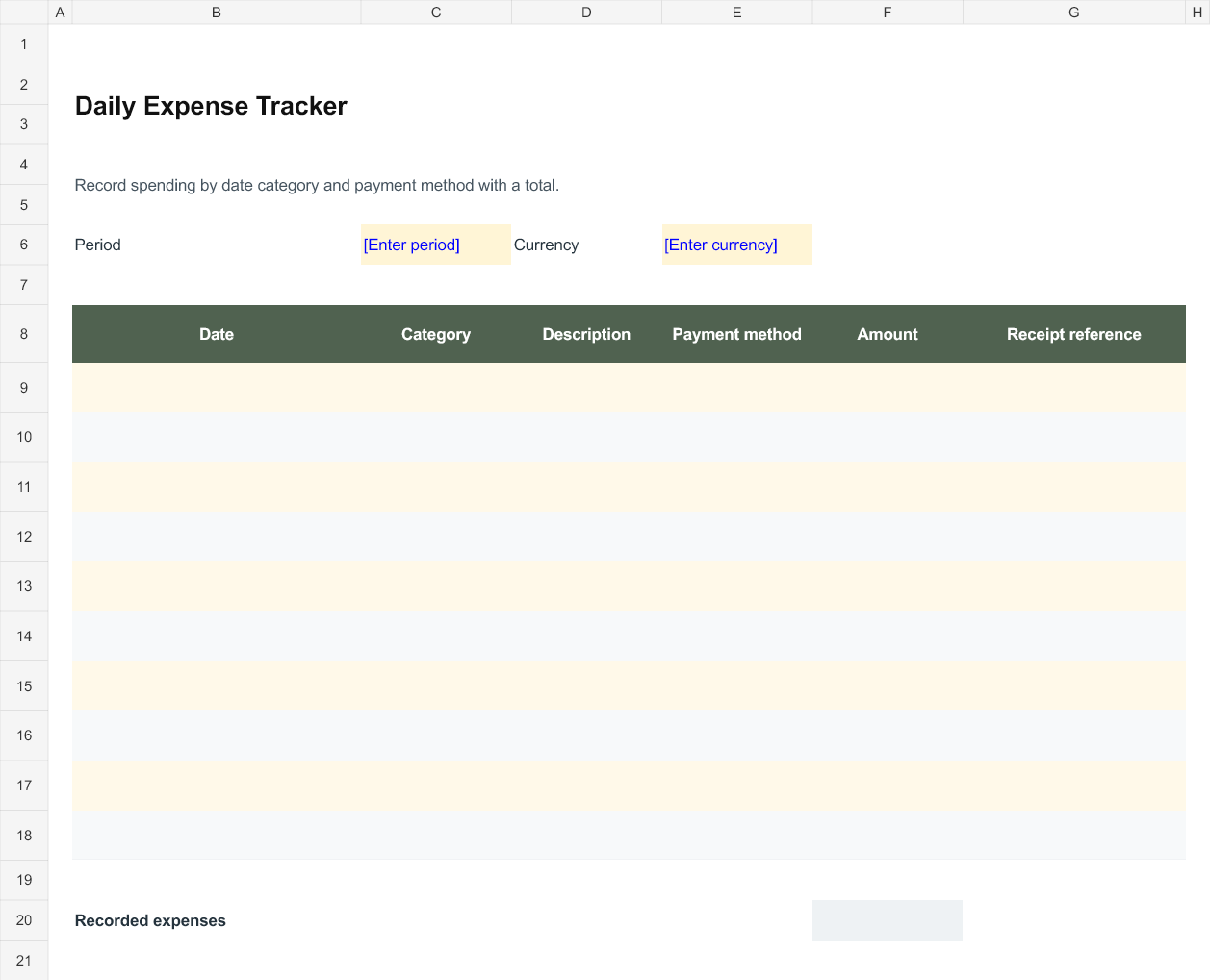
The daily expense tracker records payments by date, category, description, payment method and receipt reference. It suits a person or team that needs a clear list of spending for a stated period. The petty cash log serves a different purpose: it explains how a physical cash balance changed. Use the expense file for a spending summary, and the petty cash file when someone must reconcile cash held and payments made from that cash.
Record enough detail to identify a payment
Use a short description that another reviewer can understand and a receipt or voucher reference that can be located later. Apply categories consistently throughout the period. Record the actual payment amount in the stated currency; do not mix currencies in one total without an agreed conversion method and a supporting record. If a receipt is missing or a payment is disputed, describe that in the notes and follow the organisation process rather than silently removing the transaction.
Reconcile petty cash against a count
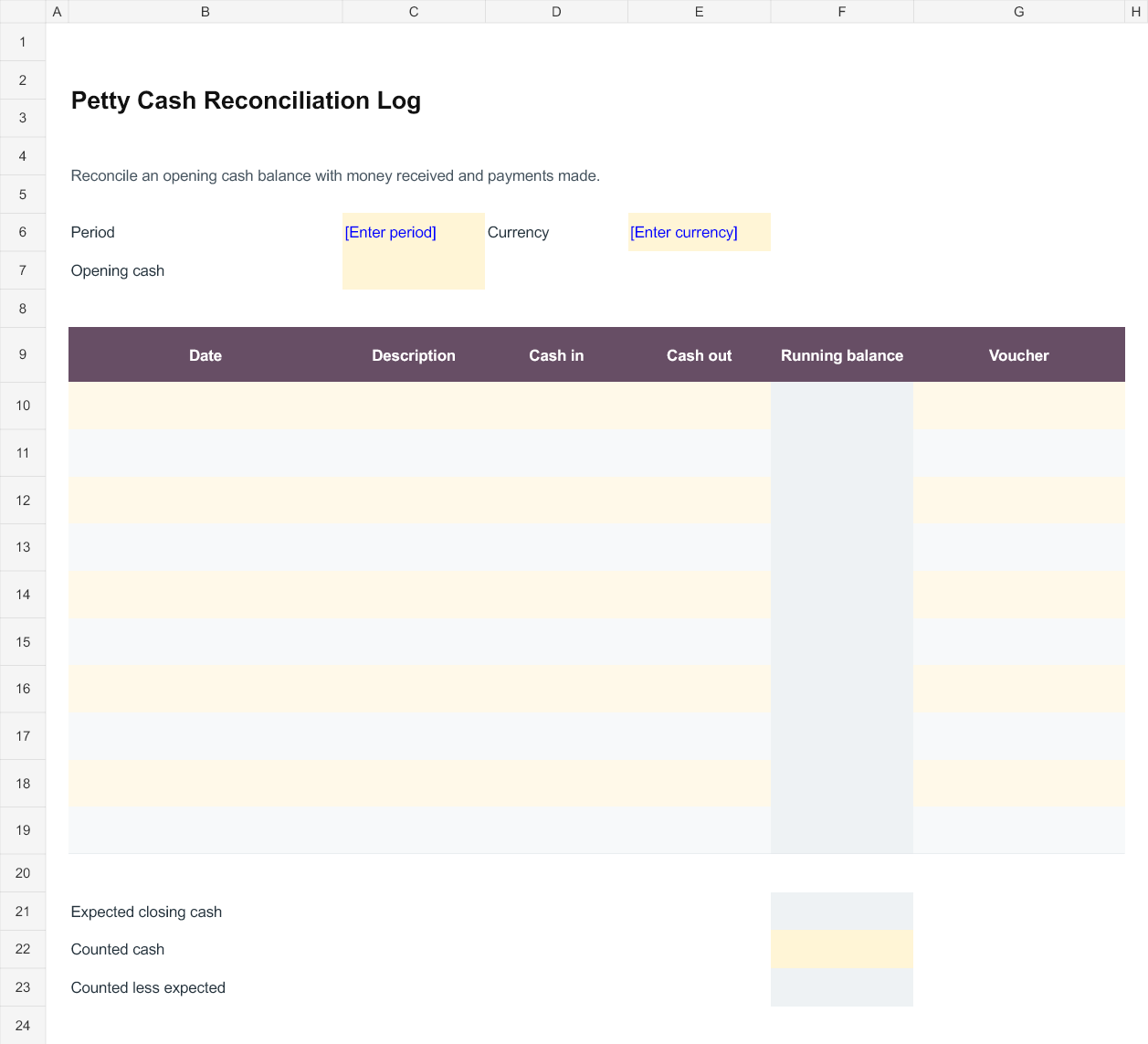
Enter the opening cash balance before recording money received and payments made. The running balance adds cash in and subtracts cash out. At the end of the period, enter the amount physically counted. The difference compares counted cash with the expected closing balance. It is not an automatic approval of the transactions. Investigate a difference using the vouchers, dates and cash movements, and record the explanation and responsible person before closing the period.
Finish and retain the period record
Check for duplicate entries, incomplete receipt references and payments entered in the wrong period. Save the finished file with a clear period name and retain supporting evidence in the location used by the business. Start the next cash period from the agreed closing balance, not from a number adjusted merely to remove a difference. For the expense tracker, confirm which categories and supporting documents are required by the person receiving the report.
Working with the editable files
Daily Expense Tracker is an Excel workbook with editable entry areas. Enter the period or project reference first, then complete the rows that apply to your work. Keep figures in the stated units and currency. Where a calculated column is included, change the input cells rather than typing over the formula. Save a separate completed copy and check the print area if you add more rows.
Petty Cash Reconciliation Log is an Excel workbook with editable entry areas. Enter the period or project reference first, then complete the rows that apply to your work. Keep figures in the stated units and currency. Where a calculated column is included, change the input cells rather than typing over the formula. Save a separate completed copy and check the print area if you add more rows.
Editable Word and Excel Resources
Daily Expense Tracker
Record spending by date category and payment method with a total. Download the editable Excel file below.
Petty Cash Reconciliation Log
Reconcile an opening cash balance with money received and payments made. Download the editable Excel file below.