

Running a news blog is different from keeping a personal diary online. Readers arrive looking for what happened today, scan several headlines at once, and expect to find older stories by topic or date. A news-style template is built for that rhythm, with a featured story area, category blocks, a latest-posts feed and plenty of room for images.
Plan a magazine style news homepage and the content needed in each area. This guide includes one free original editable Excel worksheet, with a preview and a direct download below.
Free Editable Excel Worksheet
News Blog Editorial Layout Planner
Plan a magazine style news homepage and the content needed in each area. This original Template Swift planning worksheet includes editable fields and an example row you can replace with your own details.

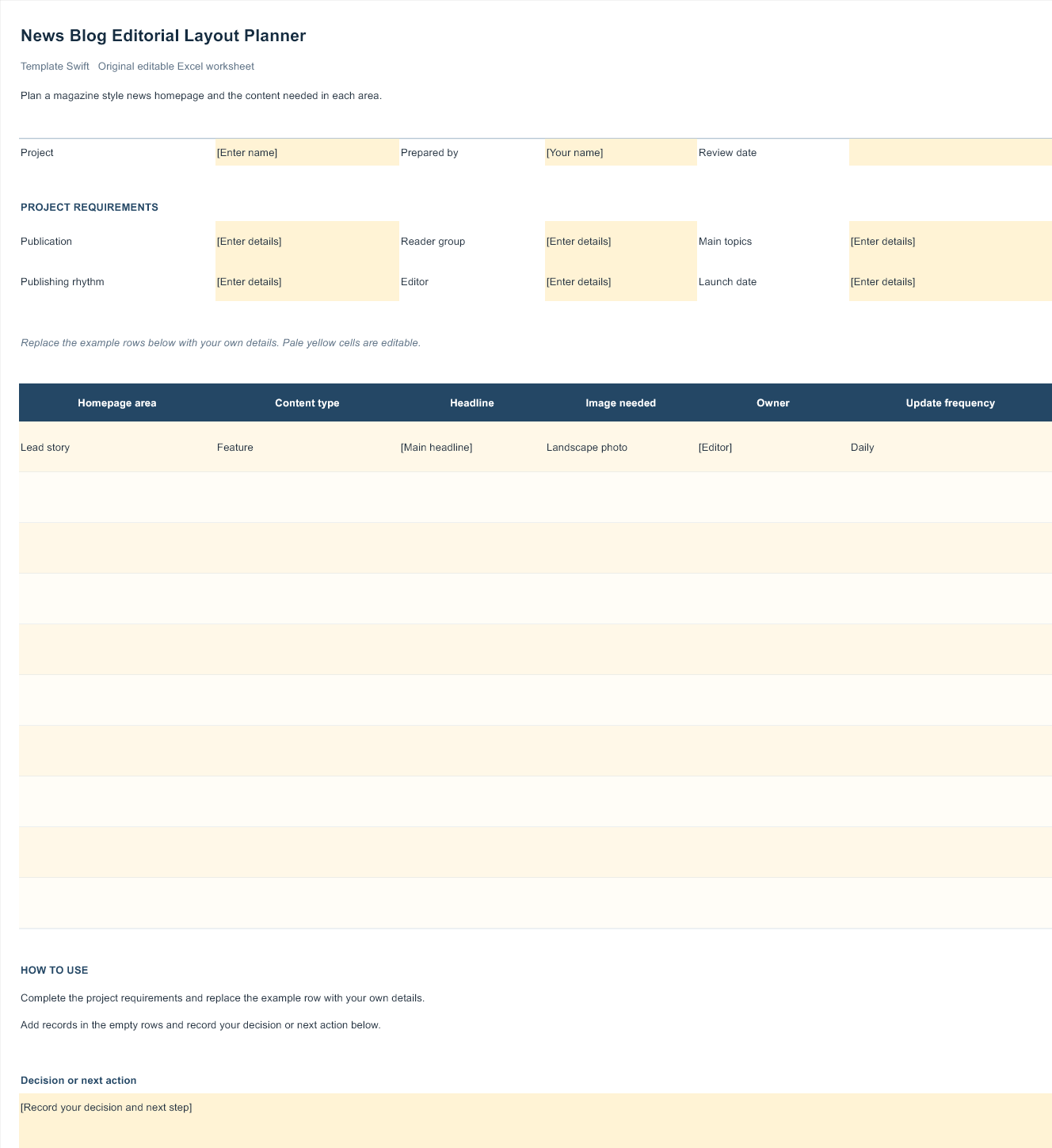
Download News Blog Editorial Layout Planner (.xlsx)
Open the file in Microsoft Excel or a compatible spreadsheet application. Replace the example row, complete the highlighted input fields, and save your own copy.
Anatomy of a Good News Homepage
Most successful news layouts share a familiar structure, because readers have learned to navigate it quickly. At the top sits a header with your logo, a clear menu of sections and often a search bar. Below it, a lead story area highlights the most important article with a large image and headline, sometimes alongside two or three secondary stories.
Further down, category blocks group recent posts by section, such as Local, Sport, Business or Culture, so readers can jump to what interests them. A latest news list or ticker shows the newest posts in time order, and a sidebar may hold popular stories, a newsletter sign-up or advertising. The footer usually contains links to about, contact, corrections and privacy pages.
When comparing templates, check how easily you can reorder these sections and whether each block can be set to show a particular category.
Matching the Template to Your Kind of News
Local and community news sites benefit from clear sections for events, council and school updates, sport and local business, plus an obvious way for readers to send in tips or announcements. A simple, friendly design that works well on older phones is often more important than a flashy slider.
Sports news needs room for results, fixtures and match reports, and lots of action photos. Templates with tabbed widgets for recent results or upcoming fixtures, and category blocks for each team or league, make it easy for fans to find what they follow.
Entertainment and celebrity news leans heavily on images and short, punchy headlines, so a grid-based layout with large thumbnails tends to work best. Keep an eye on page weight, as image-heavy pages can slow down quickly.
Industry and niche news, such as technology, farming, finance or education updates, usually attracts readers who want depth. A cleaner layout with fewer distractions, good typography and space for charts or tables suits this audience.
School, club and organisation news pages are often run by volunteers. Choose something easy to update, with simple categories and a calendar or events section, and avoid templates that need custom code to change basic elements.
Keeping a Busy News Site Fast and Readable
News templates often pack a lot onto the homepage: sliders, tickers, tabbed widgets, social feeds and several ad slots. Each one adds weight. Before launching, switch off anything you do not genuinely need, and test the page on a mid-range phone with a mobile connection. Readers checking headlines on the go will not wait for a slow page.
Image handling makes the biggest difference. Resize photos to the largest size the template displays, compress them, and set a consistent aspect ratio so thumbnails line up neatly in category blocks. Use descriptive file names and alt text, which help both accessibility and image search.
Typography deserves attention too. Headlines should be bold and scannable, while article text needs a comfortable font size and line length for longer reading. If the template’s default fonts feel cramped, adjust them; our guide to font pairing explains how to create a clear hierarchy.
Editorial Practices That Build Trust
Design gets readers through the door, but trust keeps them coming back. Even a small, volunteer-run news blog benefits from a few simple habits:
- Check facts before publishing. Confirm names, dates, figures and quotes, ideally with more than one source.
- Separate news from opinion. Label opinion pieces clearly so readers know what is reporting and what is commentary.
- Credit sources and images. Link to original reports, and only use photos you took, licensed or have permission to use.
- Correct mistakes openly. Add a short correction note to the article rather than silently changing it.
- Show who you are. An about page naming editors or contributors and a contact method make the site more credible.
- Respect privacy. Take extra care when reporting on private individuals, children or sensitive situations.
These practices are not just good ethics. Search engines and social platforms increasingly favour sources that demonstrate transparency and reliability.
Organising Categories and Archives
A news site grows quickly, and a sensible structure stops it becoming a maze. Keep main sections few and broad, perhaps five to eight, and use labels or tags for more specific topics. Make sure every post belongs to one primary category so it appears in the right homepage block. Archive pages should load quickly and show headlines, dates and thumbnails so readers can browse back through older stories.
Think about how readers will follow stories that develop over days or weeks. Linking related articles together, or creating a topic page that collects them, helps newcomers catch up and keeps visitors on your site longer.
Growing Your Audience
Search is an important source of readers, and the principles in our guide to SEO friendly blog templates apply directly to news sites: fast pages, clean headings, descriptive titles and useful content. A regular email newsletter summarising the week’s top stories builds a loyal audience you can reach directly. Community news sites can also produce an occasional printed edition using our magazine templates for people who prefer reading on paper.
If you later outgrow a hosted blog, our articles on tech and news themes and HTML5 blog templates explain the alternatives and what to check before moving.
Frequently Asked Questions
Are these news blog templates free?
The original Excel planning worksheet on this page is free to download and edit. Open it in Microsoft Excel or a compatible spreadsheet application.
Can I use these templates on any blogging platform?
No. Most are built for one hosted platform, while two are themes for a different system. A template made for one platform will not install on another without being rebuilt.
Will a news template help my site rank higher?
A fast, well-structured template removes technical barriers, but rankings depend mostly on original, accurate and timely reporting.
How many homepage sections should a news blog have?
Enough to show your main categories without overwhelming readers. A lead story area, a latest news list and four to six category blocks is a common, balanced layout.
Can I use photos from other news sites?
Generally not without permission. Use your own photos, licensed images or properly credited material that you have the right to publish.

