

Shoppers now expect to browse the weekly specials, fill a basket and choose a delivery or pickup slot from their phone, even at small neighborhood stores. Grocery shopping website templates give independent grocers, organic shops, bakeries and specialty food stores a ready-made storefront with product grids, categories, carts and promotional banners, so you can focus on stocking shelves rather than writing code.
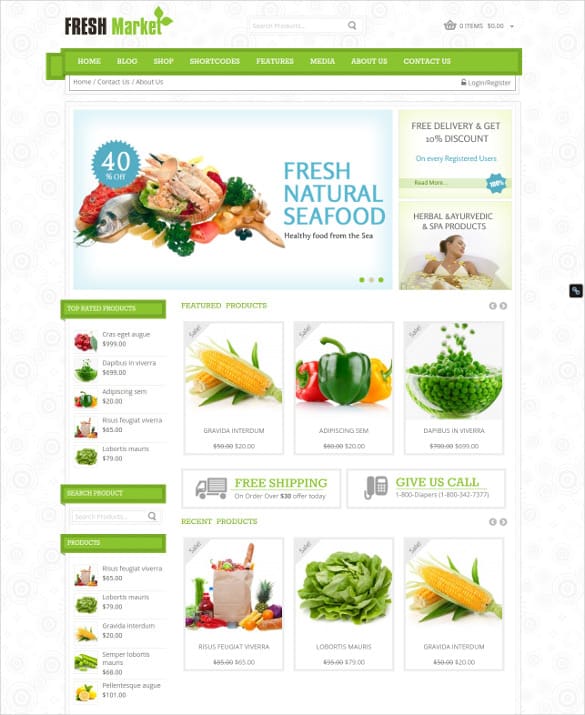
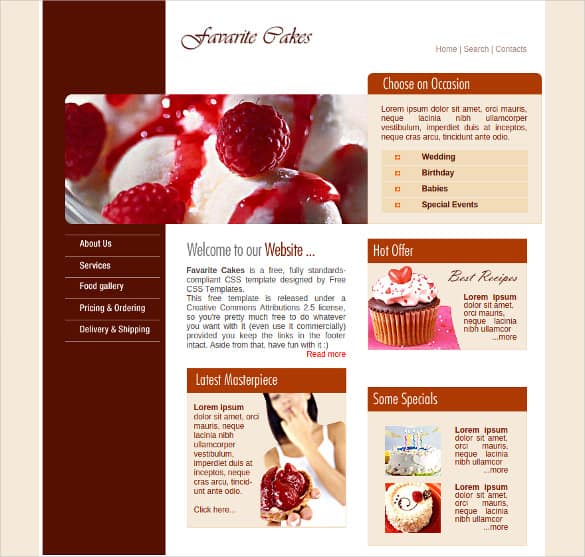
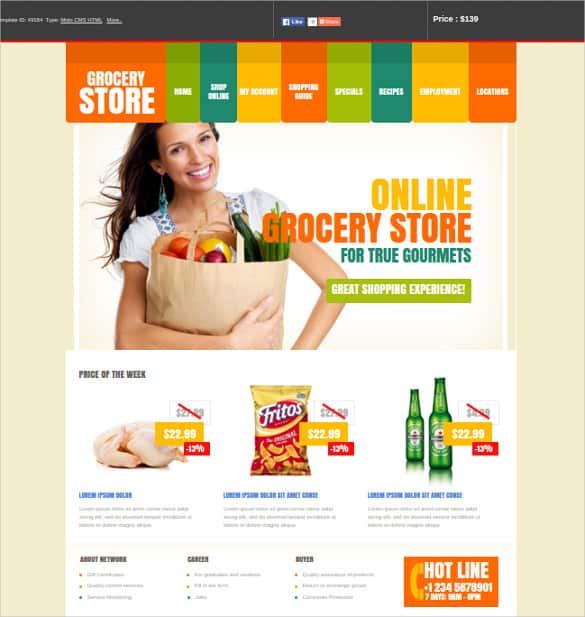
Below you’ll find eight grocery and food store designs, from full supermarket e-shop layouts to fresh market themes and a bakery template. Some are free HTML templates, others are premium themes for shopping platforms, and two original listings are no longer available. Before the gallery, we’ll cover what a grocery site needs; afterward, you’ll find setup steps, delivery tips and ways to keep customers coming back.
Who Uses Grocery Website Templates?
- Independent grocery stores adding online ordering for delivery or curbside pickup.
- Organic and health food shops highlighting local and specialty products.
- Ethnic and specialty markets reaching customers across a wider area.
- Bakeries, delis and butchers taking pre-orders.
- Farm shops and co-ops selling produce boxes and pantry goods.
- Meal kit and grocery box startups offering subscriptions.
Must-Have Features for an Online Grocery Store
| Feature | Why shoppers care |
|---|---|
| Clear categories and search | People shop by list; finding “oat milk” in two taps matters. |
| Product photos, sizes and prices | Shoppers want to know exactly what they’re getting. |
| Weight-based or per-item pricing | Produce, deli and meat often sell by weight. |
| Delivery and pickup slots | Lets customers plan around their day. |
| Substitution preferences | Reduces frustration when an item is out of stock. |
| Saved lists and reorder | Weekly shoppers love one-click repeats. |
| Deals and specials section | Promotions drive bigger baskets. |
| Mobile-first checkout | Many grocery orders are placed on phones. |
Not every template includes all of these out of the box. Many rely on an e-commerce platform or plugins for carts, payments and delivery slots, so check what’s built in and what you’ll need to add.
Small shop or big catalog?
A specialty store with a few hundred products can thrive with a clean, simple theme: a handful of categories, a weekly specials banner and an easy checkout. A larger grocer with thousands of items needs stronger search, filters by brand and diet, bulk product imports and possibly integration with inventory or point-of-sale systems. Be honest about which group you’re in today, and choose a template that can grow with you rather than one packed with features you won’t use for years. A focused store that’s easy to navigate often converts better than a sprawling one, especially on mobile.
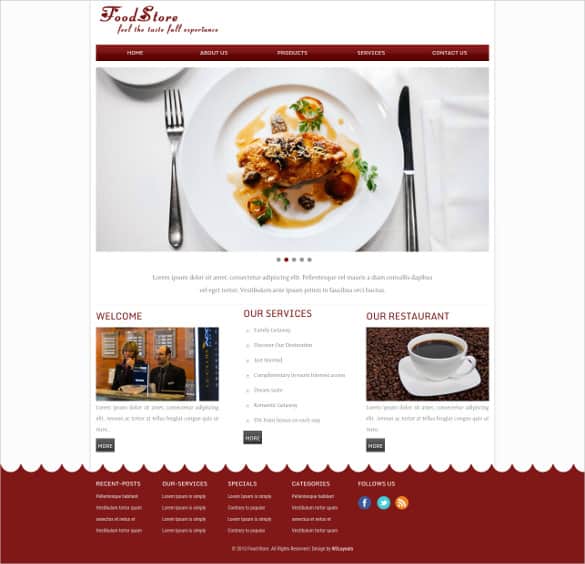
About these templates: The buttons open each design’s original page on template marketplaces and free template sites. Some are full shop themes for specific platforms, some are HTML designs that need a separate shopping cart, and two listings have been removed. Check compatibility, update history and license terms before you build your store.
8 Grocery Shopping Website Templates and Themes
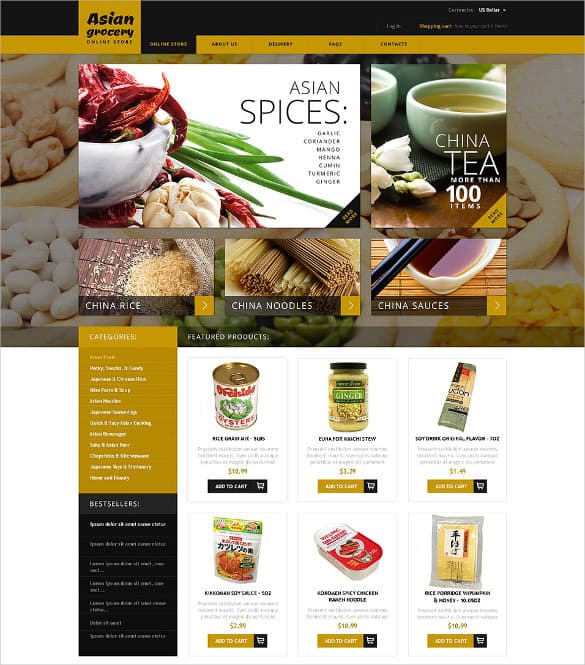



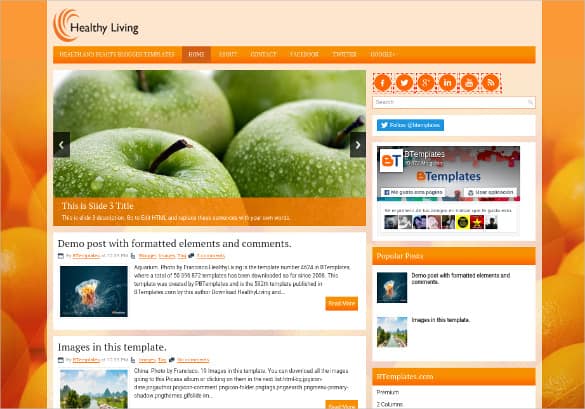

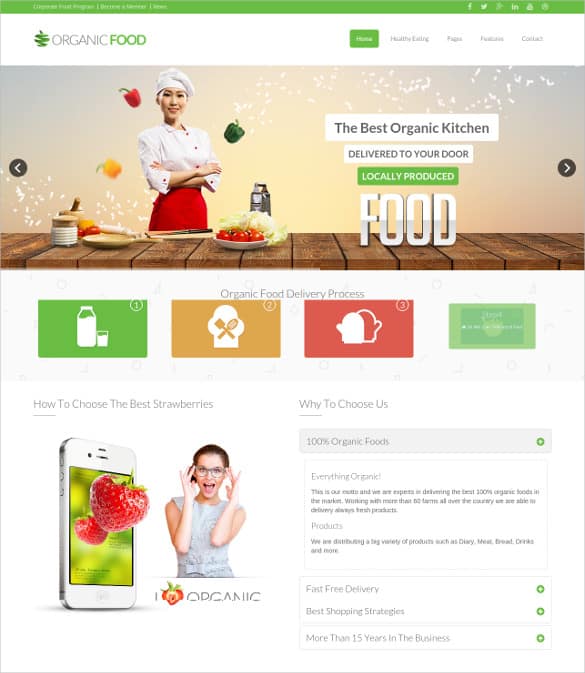

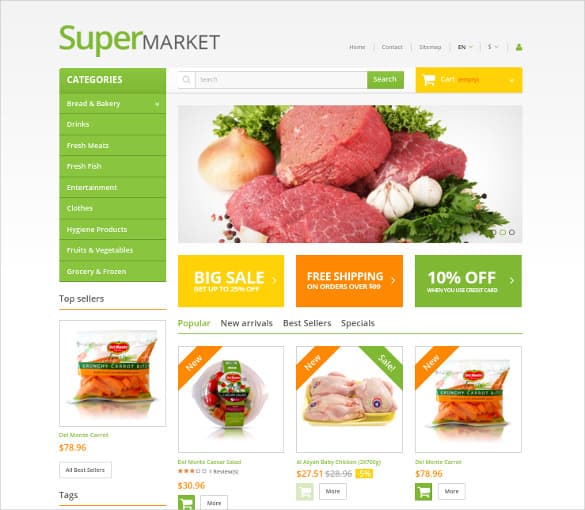





Launching Your Online Grocery Store, Step by Step
- Pick your ordering model. Delivery, curbside pickup, in-store pickup or a mix. This shapes the features you need.
- Choose the platform and template together. If the template is built for a specific shopping platform, make sure that platform suits your size and budget.
- Start with your bestsellers. Rather than uploading every item on day one, launch with the products customers buy most often.
- Write clear product details. Size, weight, origin, dietary labels and allergen information where relevant.
- Set delivery zones and fees. Be upfront about minimum orders, time slots and charges.
- Test the whole order flow. Place several test orders, including substitutions and cancellations, before going live.
- Train your team. Decide who picks, packs and checks online orders, and how you’ll handle out-of-stock items.
Example: a neighborhood market goes online
A family-owned market started with a simple grocery template and about 200 core products: produce, dairy, bread and pantry basics. They offered pickup only at first, with two-hour time slots. Customers could note substitution preferences at checkout, and staff called if anything was unavailable. After a few months of smooth pickups, they added local delivery on two evenings a week.
Product Photos and Descriptions That Sell
- Use consistent backgrounds. Clean white or light neutral backgrounds make product grids look tidy.
- Show real pack sizes. Shoppers want to know whether that “bag of apples” is 1 lb or 3 lbs.
- Highlight what’s special. Local, organic, seasonal, gluten-free or freshly baked today.
- Add allergen and ingredient info for packaged and prepared foods, and keep it accurate. Labeling rules vary by country and state, so check local requirements.
- Update seasonal items. Remove out-of-season produce quickly so customers don’t order things you can’t supply.
Delivery, Pickup and the Paperwork Behind Them
Smooth fulfillment is what turns first-time online shoppers into weekly regulars. Confirm each order clearly with an order confirmation template, include a packing slip or delivery note so customers can check items on arrival, and publish a clear refund and return policy covering damaged or missing goods.
- Keep cold items cold. Use insulated bags or boxes and plan routes so chilled and frozen goods arrive safely.
- Communicate substitutions. Let customers approve or refuse replacements, and never charge more without consent.
- Send reminders. A text or email when the order is ready for pickup or out for delivery reduces missed handoffs.
Food businesses selling online may need specific licenses, food safety practices and secure payment processing. Requirements vary by location, so check with your local health department and payment provider before launching.
Bringing Customers Back Every Week
- Weekly specials. Feature a rotating set of deals on the homepage and in a short email.
- Digital and printed coupons. A first-order discount or a bag insert with a code from our coupon templates encourages repeat visits.
- Saved favorites. Make reordering effortless for busy families.
- Local storytelling. Introduce the farms and bakers you work with. If you sell direct from a farm, our agriculture website templates offer more ideas for telling that story.
Common Mistakes With Grocery Websites
- Showing items as available when they’re out of stock, leading to frustrating substitutions.
- Hiding delivery fees and minimums until checkout.
- Slow pages caused by huge, uncompressed product photos.
- A checkout that requires account creation before customers can see delivery slots.
- No easy way to contact the store about an order.
If your store needs more than a standard theme offers, such as custom delivery logic or integration with your point-of-sale system, read our overview of dynamic website templates to understand what’s involved before hiring a developer.
Frequently Asked Questions
Can these templates take online payments?
Templates built for shopping platforms usually support payments through that platform. HTML templates need a separate cart and payment solution.
Are these grocery templates free?
Some are free HTML templates; others are premium themes. Check the current price and license on each source page.
How many products should I list at launch?
Start with your most popular items and grow from there. A smaller, accurate catalog beats a huge one full of out-of-stock products.
Do I need special permits to sell groceries online?
Possibly. Food sales, delivery and alcohol or tobacco products can be regulated. Check local rules before you start.
Should I offer delivery or pickup first?
Many small stores start with pickup because it’s simpler to manage, then add delivery once the process runs smoothly.

