


Picture a small bakery owner in January. She boosts a few Facebook posts, prints flyers for a farmers market, sponsors a local soccer team and tries a food blogger collaboration. By June she has no idea which of those brought in customers, or how much she spent in total. Sound familiar? That’s the problem a marketing budget template solves. It puts every planned dollar in one place, shows what you actually spent, and makes it obvious which channels deserve more money next time.
You don’t need a finance degree or expensive software. An Excel sheet with the right columns does the job for most small and mid-sized businesses, and it scales up surprisingly well for larger teams.
Below are 15 free marketing budget templates in Excel. They include annual and quarterly budgets, a forecast template, social media and digital marketing budgets, channel budgets, a website marketing budget, a product launch budget, and simple blank worksheets for anyone who wants to build their own structure.
How Much Should You Spend on Marketing?
There’s no universal number, but a few common approaches will get you to a sensible starting point:
| Method | How it works | Good for |
|---|---|---|
| Percentage of revenue | Set aside a fixed share of current or projected revenue (many businesses land somewhere in the single digits to low teens) | Established businesses with steady sales |
| Objective and task | List your goals, price out the activities needed to reach them, and add it up | Launches, campaigns and growth pushes |
| Competitive parity | Estimate what similar businesses spend and match or beat it | Crowded local markets |
| What you can afford | Spend what’s left after fixed costs | Very early startups (but revisit it often) |
Most owners blend two methods: a percentage of revenue for the baseline, plus extra money for specific goals such as a new product or a second location.
Which Template Should You Start With?
If you’re new to budgeting, grab the simple worksheet or blank template and keep it to a handful of lines. If you plan a full year ahead, the annual and forecast templates let you spread spending across months and compare it with expected results. Agencies and marketing managers who report to leadership every few months will like the quarterly sample. And if most of your spend is online, the digital, social media and website budgets break costs down by platform and tool.
Marketing Budget Templates for Excel
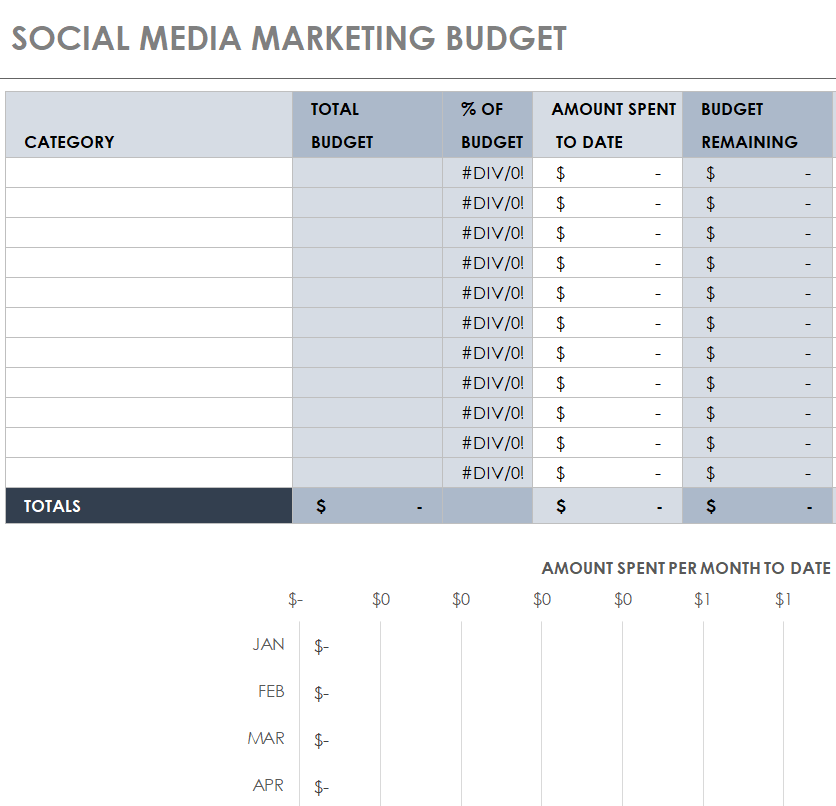
Social Media Marketing Budget Template


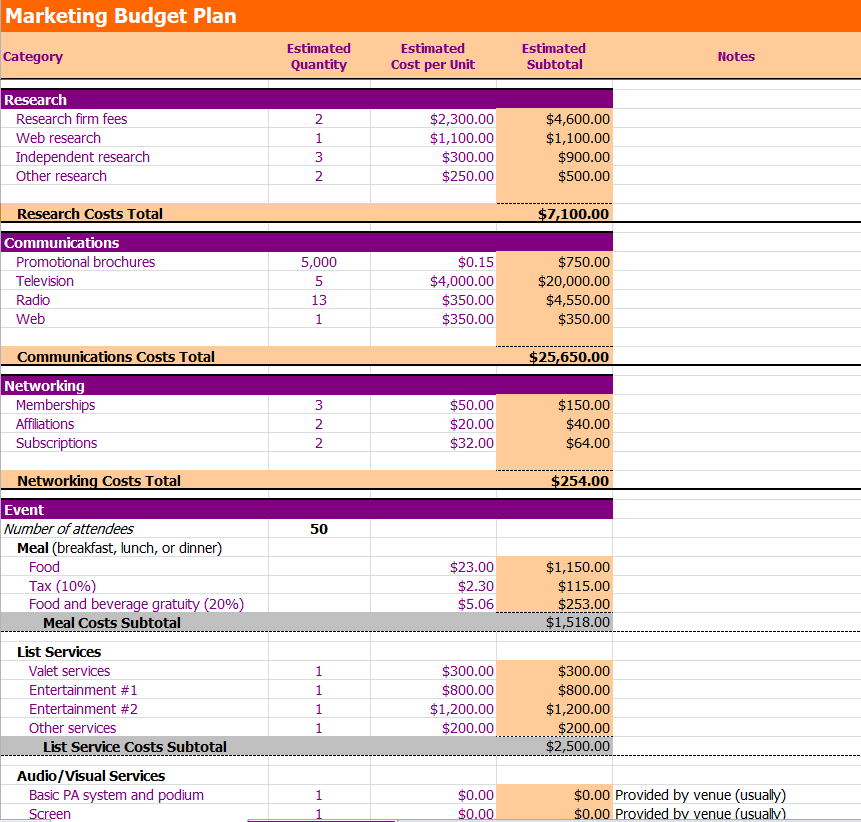
Excel Marketing Budget Plan Template


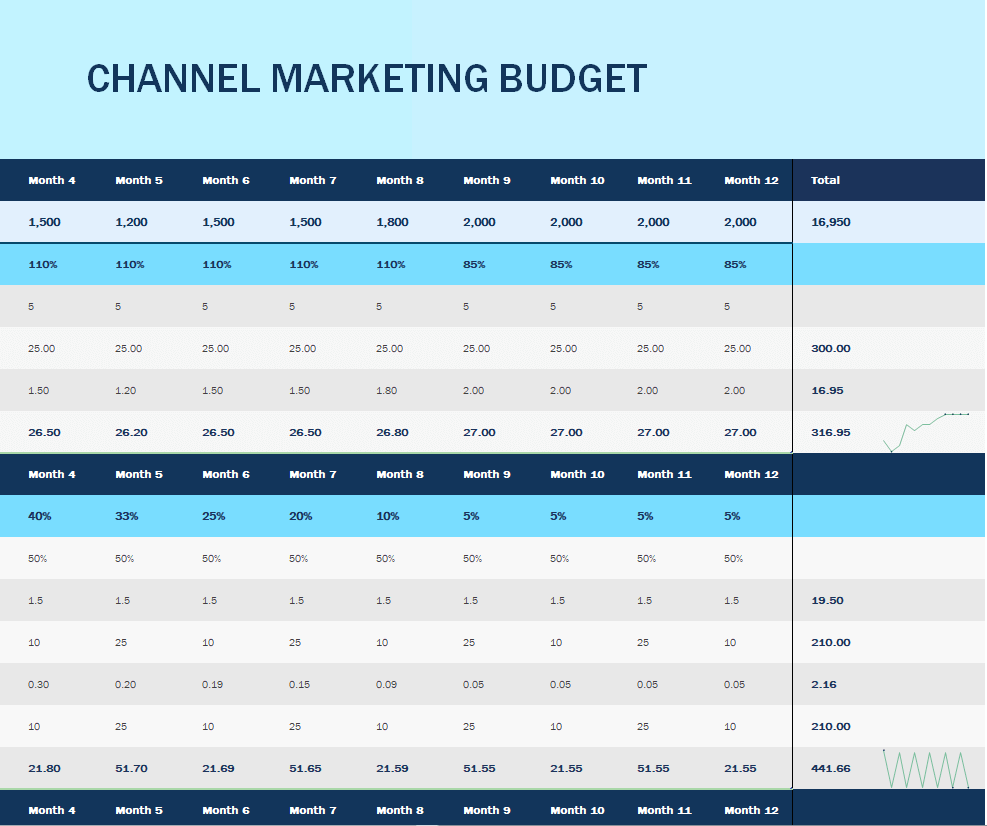
Channel Marketing Budget Excel Template


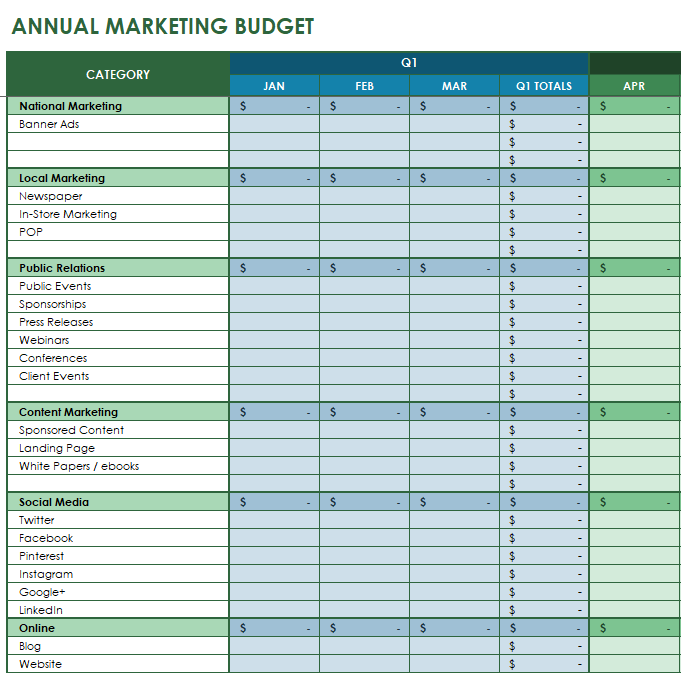
Annual Marketing Budget Template


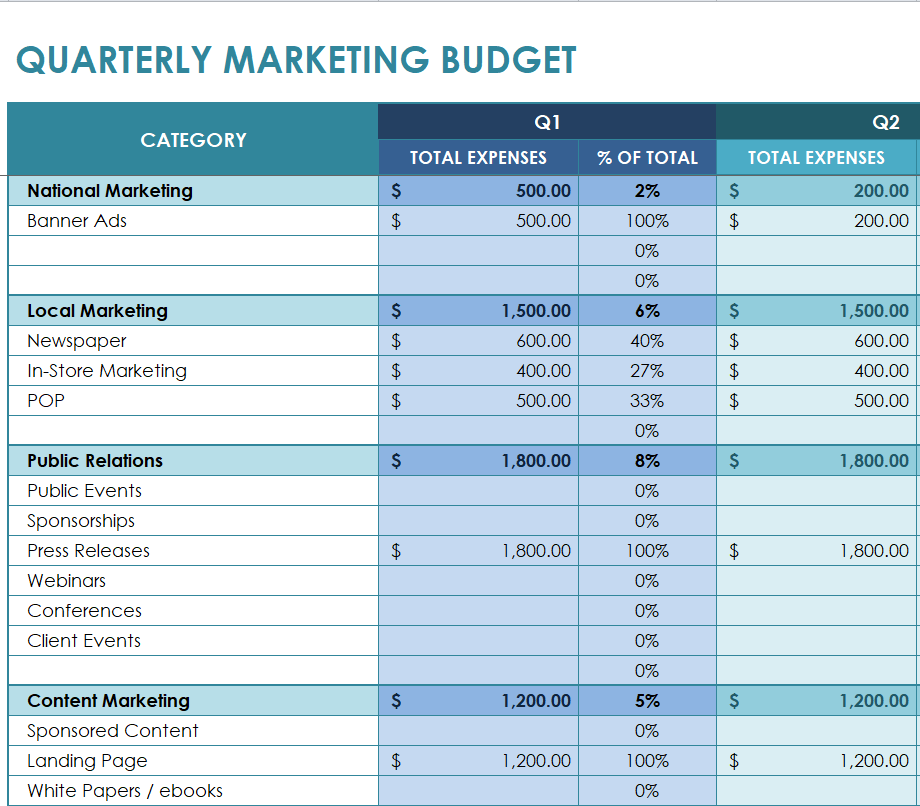
Quarterly Marketing Budget Sample


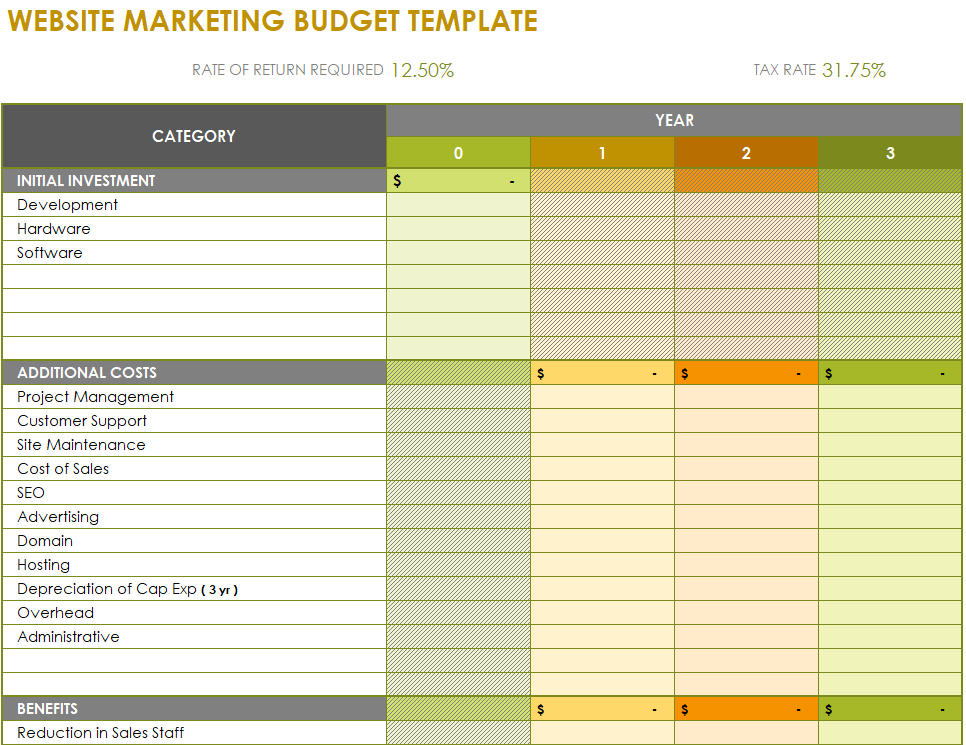
Website Marketing Budget Template in XLSX Format


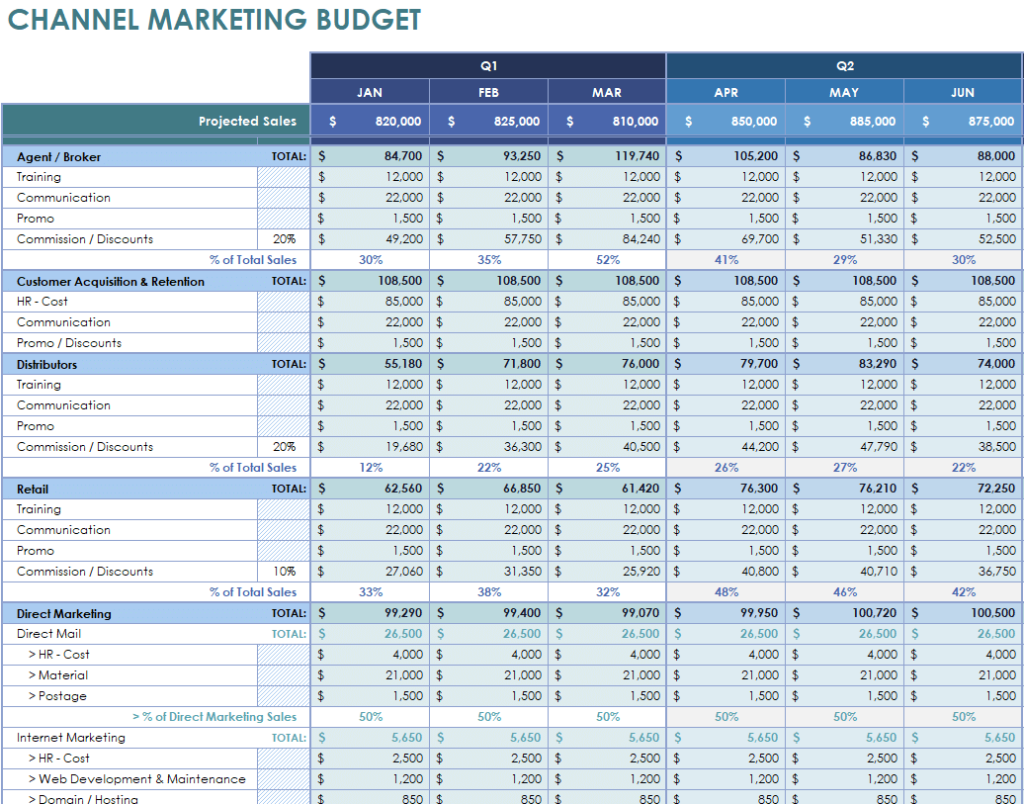
Marketing Budget Template for a Channel


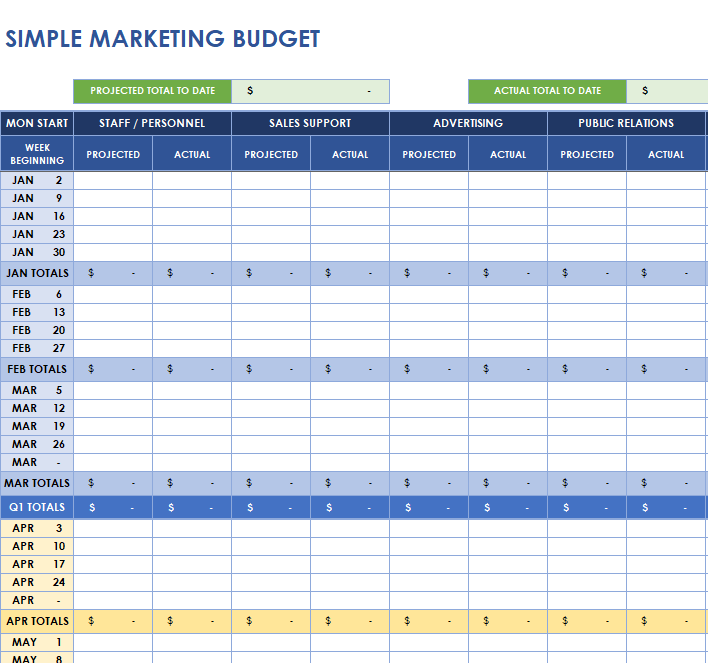
Simple Marketing Budget Worksheet Template


Marketing Budget Forecast Template


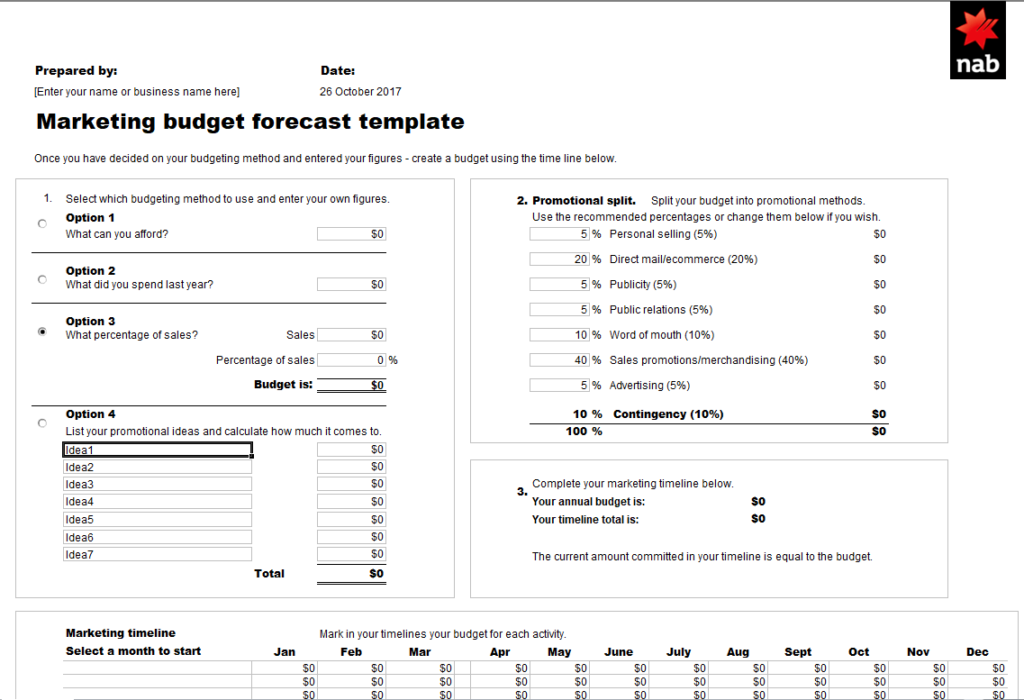
Sample Marketing Budget Template in MS EXCEL


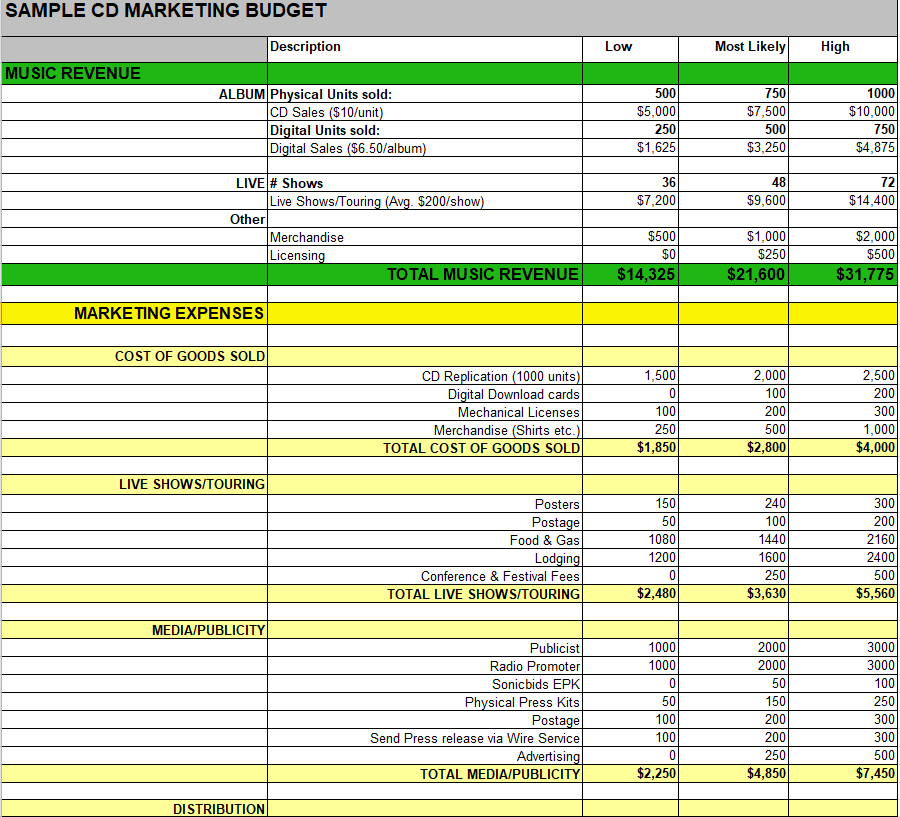
Standard Marketing Budget Plan Template


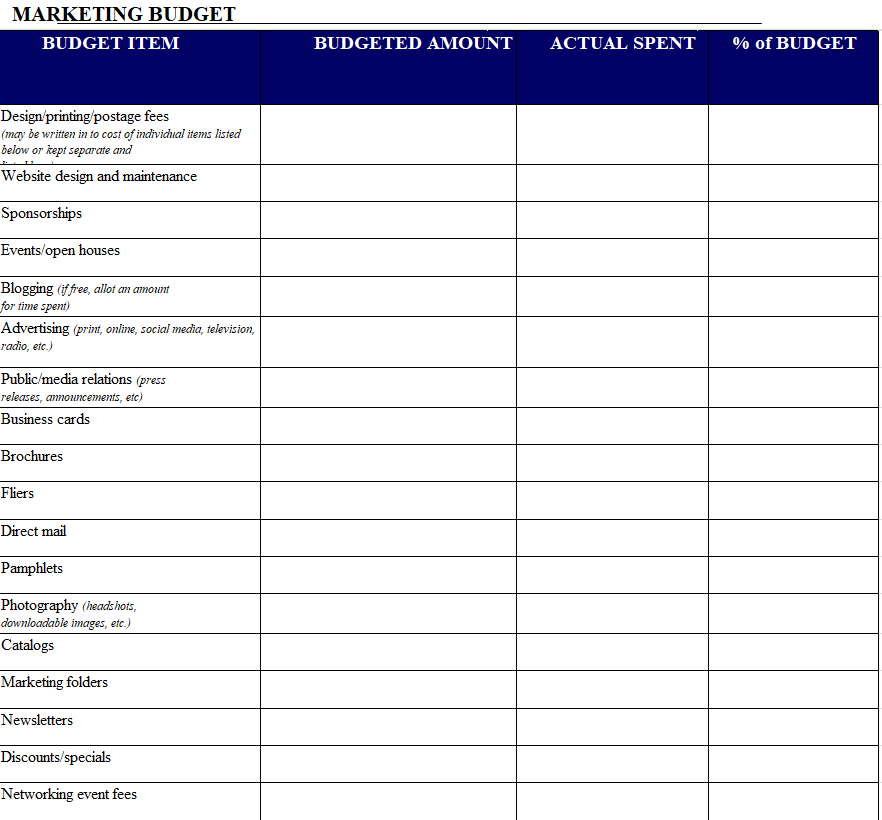
Blank Marketing Budget Excel Template


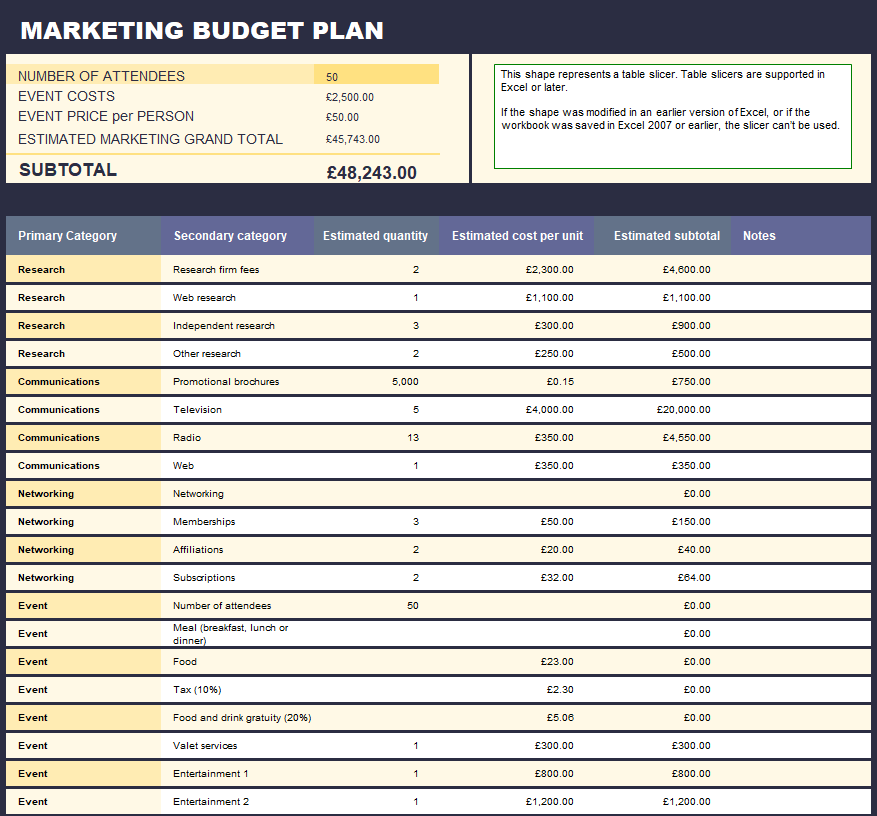
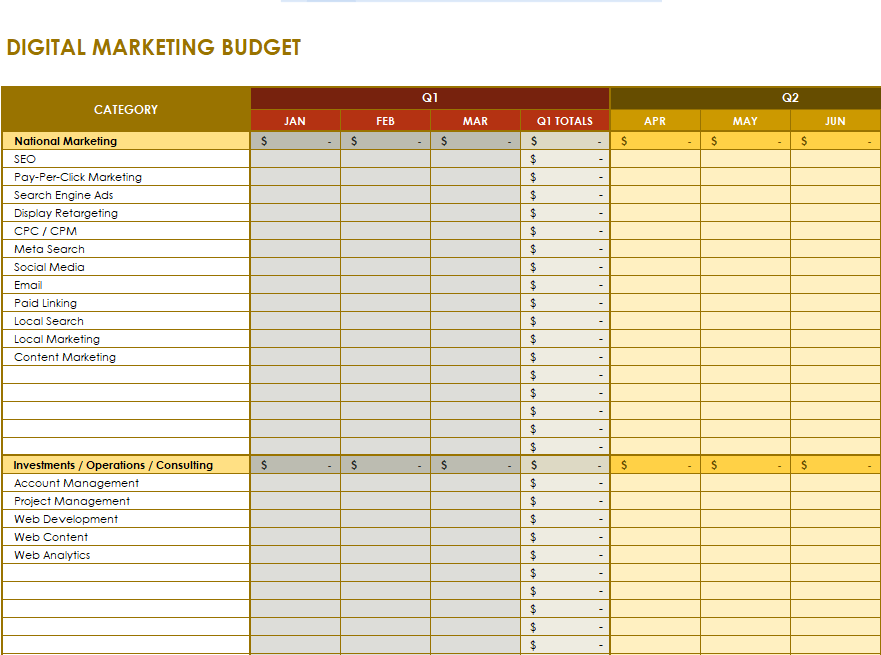
Digital Marketing Budget Example


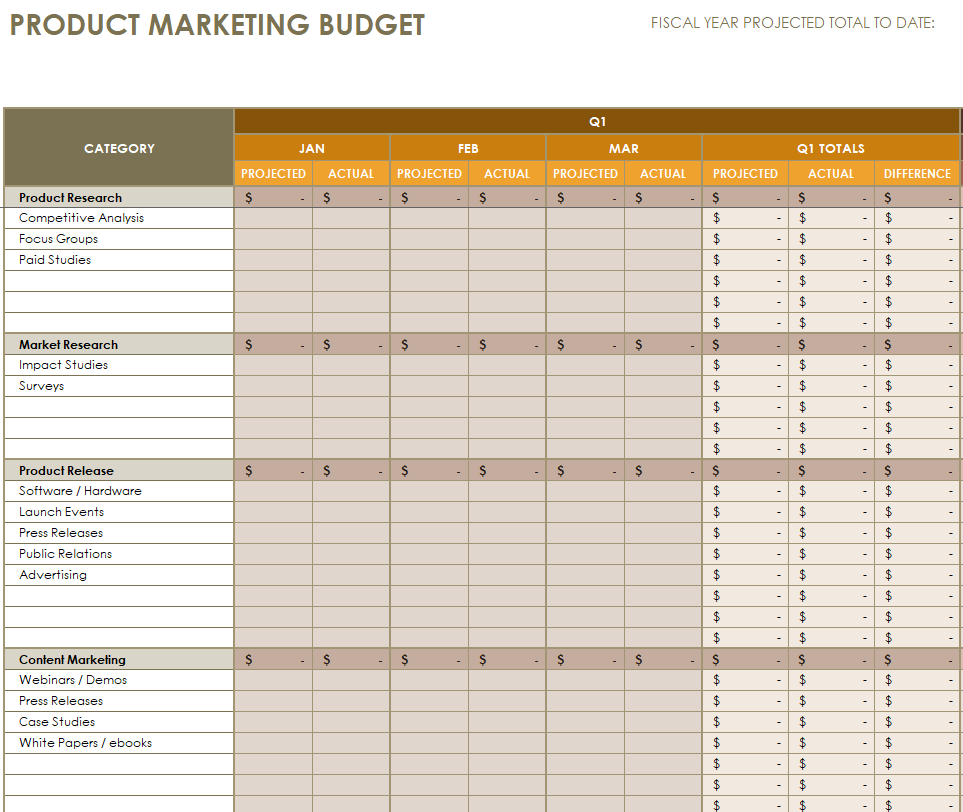
Marketing Budget Template for a Product


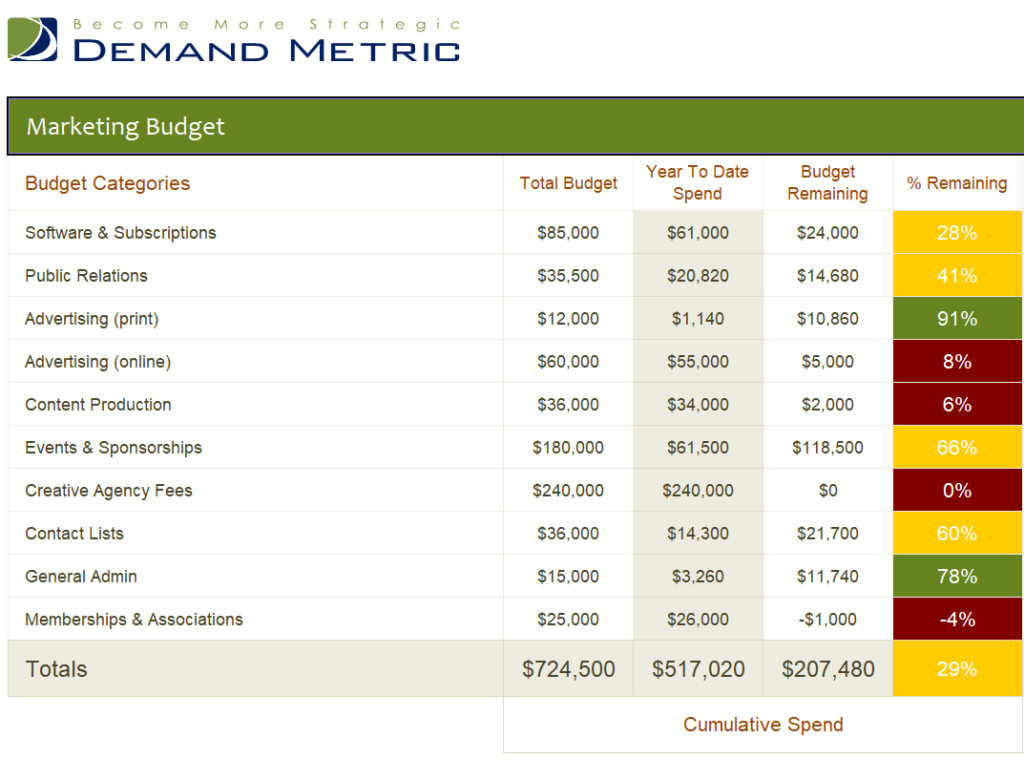
Free Editable Marketing Budget XLSX Template


Building Your Budget: Five Questions to Answer First
What are you trying to achieve this year?
More leads, more foot traffic, a successful product launch, better brand awareness? Write down two or three goals with numbers attached. A budget without goals is just a list of expenses.
Where do your customers actually spend time?
Look at how your best customers found you. Ask them. Check your website analytics. Money spent on a channel your audience ignores is money gone.
What are your fixed marketing costs?
Website hosting, email software, design tools, subscriptions and any retainers. These go in first because they don’t change much month to month.
How much will you test?
Set aside a small slice, maybe 10% of the budget, for experiments: a new ad platform, a podcast sponsorship, a trade show. Some will flop. One might become your best channel.
How will you measure results?
Decide up front what counts as success for each line: cost per lead, cost per sale, website visits, event sign-ups. Add a column for it in your template.
A Sample Monthly Breakdown
Here’s how a small service business with a $4,000 monthly marketing budget might split it. Treat it as an illustration, not a rule:
| Category | Monthly budget | Notes |
|---|---|---|
| Search and social ads | $1,600 | Split between two platforms, reviewed weekly |
| Content and SEO | $900 | Blog posts, local listings, website updates |
| Email and software | $300 | Email platform, design and scheduling tools |
| Print and local events | $600 | Flyers, community sponsorship |
| Testing | $400 | One new channel per quarter |
| Contingency | $200 | Unexpected opportunities or price increases |
Plan Around Your Busy Seasons
Very few businesses sell the same amount every month. A landscaper is slammed in spring, a toy shop in November, a tax preparer from February to April. Your budget should follow that rhythm. Spend more in the weeks leading up to your peak, when people are researching and comparing, and less during quiet months, when you can focus on low-cost work like updating your website, collecting reviews and building your email list. The annual and forecast templates make this easy because every month has its own column.
Budget Lines That Often Get Forgotten
- Creative production: photography, video editing and design time for your ads, not just the ad spend itself.
- Software renewals: annual subscriptions that quietly renew at a higher price.
- Promotional giveaways: discounts, free samples and branded merchandise all cost money.
- Shipping and printing: direct mail postage and reprints add up quickly.
- Your own time: if you’re doing the marketing yourself, note the hours. It helps you decide when hiring help makes sense.
Mistakes We See Again and Again
Copying last year’s budget without asking why. Channels change, prices change and your goals change. Start fresh, using last year’s results as evidence rather than a script.
Spreading money too thin. Ten channels with $200 each rarely beats two channels done properly.
Cutting marketing first when sales dip. Sometimes that’s necessary, but slashing everything can deepen a slow period. Trim the weakest channels and protect the ones that are working.
Ignoring the small numbers. A $49 tool here and a $30 boost there can quietly become hundreds a month.
Keeping the Budget Honest All Year
The biggest mistake isn’t setting the wrong number in January. It’s never looking at the sheet again. Block 30 minutes at the end of each month to enter actual spend next to the plan and note what each channel produced. After a quarter you’ll start to see patterns: maybe email brings in customers for pennies while a pricey print ad does almost nothing. Move money accordingly.
A few habits help:
- Keep receipts and invoices in one folder so entering actuals takes minutes, not hours.
- Use the variance column. A line that’s 30% over budget two months in a row needs a decision.
- Label campaigns consistently so the numbers in your ad accounts match the lines in your budget.
- Share a simplified version with your team so everyone knows what’s available.
Turn the numbers into visuals with our Excel chart templates, and report results each month using a monthly report template. If search is a big part of your plan, an SEO report template keeps that work accountable. Pair the budget with a business action plan so every dollar is tied to a task, and nonprofits can adapt our budget worksheets for outreach and fundraising costs.
Getting Buy-In From Your Boss or Partners
If someone else signs off on the money, the template is also your pitch. Lead with the goals, then show how each line supports them. Include last year’s results where you have them, even rough ones: “Email cost $300 a month and produced about 40 bookings” is far more persuasive than “Email is important.” Show the testing slice separately so decision makers can see that experiments are contained. Finally, promise a simple monthly update, and then actually send it. Nothing builds trust in a marketing budget faster than regular, honest reporting, including the campaigns that didn’t work and what you learned from them.
Frequently Asked Questions
What should a marketing budget include?
Paid advertising, content creation, software and tools, events and print, agency or freelancer fees, staff costs if you allocate them to marketing, and a small contingency.
Should I budget monthly or annually?
Both. Plan the year so you can see the big picture and seasonal peaks, then track month by month so you can adjust quickly.
How do I track ROI in a marketing budget?
Add columns for results, such as leads or sales, next to each spending line. Divide spend by results to get cost per lead or cost per sale, and compare channels.
Do these templates work in Google Sheets?
Yes. Unzip the file, upload it to Google Drive and open it with Sheets. Formulas usually carry over without problems.
What if my budget is very small?
Focus on one or two channels you can do well, such as email and local search, and invest time where you can’t invest money. A simple worksheet is all you need.
How often should I review the budget?
Check spending monthly and do a deeper review every quarter. That rhythm is frequent enough to catch problems early without reacting to every small swing in results.


